



Whether you’re transcribing a recorded deposition, a patient consultation, or a multilingual conference, the gap between what was said and what ends up on the page matters. A missed word in a medical record or a legal proceeding isn’t just an inconvenience, it’s a liability. That’s why choosing the right audio to text transcription service can save you time, money, and serious headaches down the line.
The market gives you two broad paths: AI-powered transcription tools that prioritize speed and affordability, and human-driven services that prioritize accuracy and context. Some providers blend both. The right choice depends on your content type, required turnaround, language needs, and how much precision your work demands.
At Languages Unlimited, transcription is one of our core services, we’ve been converting spoken language from audio and video into written text across hundreds of languages since 1994. That hands-on experience gives us a clear view of what separates a reliable transcription provider from one that cuts corners.
Below, we break down nine transcription services worth considering, covering what each does best, where they fall short, and which use cases they’re built for.
1. Languages Unlimited
Languages Unlimited has provided professional language services since 1994, and transcription sits at the center of that work. If you need spoken content converted into accurate, usable text, the team here handles it with human professionals rather than relying on automated tools alone.
What you get from the service
Languages Unlimited offers a professional audio to text transcription service backed by a network of over ten thousand language specialists. The team transcribes audio and video files across industries including legal, medical, government, and corporate, delivering polished text documents rather than raw machine output. Every file goes through qualified professionals who understand context, terminology, and industry-specific language requirements.
When human transcription beats AI
AI tools can stumble on accented speakers, overlapping voices, technical jargon, and poor audio quality. Human transcriptionists handle all of these without sacrificing accuracy. If your recordings involve legal testimony, clinical notes, or sensitive interviews, a small error can create significant problems. Human review catches what automated systems miss, and that gap in accuracy matters most when the stakes are high.
For content where errors carry real consequences, human transcription isn’t optional. It’s the only practical choice.
Options for specialized and multilingual work
Languages Unlimited supports transcription in 200-plus languages and dialects, which sets it apart from most general transcription providers. If you work with multilingual audio, recordings in less common languages, or content requiring culturally competent interpretation of meaning, the team can handle it. This also extends to accessibility work, including transcription outputs used for captioning, subtitling, and Section 508-compliant documents.
- Legal and court transcription
- Medical and clinical audio
- Government and public sector recordings
- Multilingual and mixed-language files
- Accessibility and compliance-focused transcription
How turnaround and formatting typically work
Turnaround depends on file length, language, and project complexity. For standard projects, the team provides a clear timeline upfront. Formatting options include speaker labels, timestamps, and verbatim or clean-read styles depending on your intended use. You get a structured document you can use immediately without heavy editing.
How pricing usually works
Languages Unlimited provides custom pricing based on your specific project, including file length, language pair, turnaround time, and formatting requirements. You can contact the team directly for a quote or use the online payment option once your project scope is confirmed.
2. Rev
Rev is one of the more widely recognized names in transcription, offering both AI-powered and human transcription options through a single platform. It serves a broad audience, from journalists and researchers to legal teams and media companies needing a fast audio to text transcription service.
What you get from the service
Rev gives you two clear tracks: automated transcription for speed and lower cost, and human transcription for higher accuracy on demanding files. You upload your audio or video, choose your service level, and receive a formatted transcript. The platform supports common file types including MP3, MP4, WAV, and MOV.
How Rev handles accuracy and difficult audio
Rev’s human service targets 99% accuracy, which holds up reasonably well on clean recordings. For files with heavy accents, background noise, or multiple speakers, automated accuracy drops noticeably, and you’ll want to opt for the human track.
If your recordings involve court proceedings or sensitive interviews, always choose human transcription over automated output.
Editing, collaboration, and exports
Rev includes an in-browser editor where you can correct transcripts, add speaker labels, and adjust timestamps before exporting. You can share files with team members and export to formats including TXT, DOCX, PDF, and SRT for captioning use.
Security and data handling considerations
Rev stores uploaded files on encrypted servers and offers a confidentiality agreement process for sensitive content. If you’re handling protected health information or legal materials, review their data retention policies before uploading.
How pricing usually works
Rev charges per minute of audio, with automated transcription priced lower than human transcription. Captioning and subtitle services carry separate per-minute rates depending on turnaround speed.
3. TranscribeMe
TranscribeMe positions itself as a human-powered transcription service that leans on a distributed workforce of trained transcriptionists rather than relying primarily on automated tools. It serves industries where accuracy matters more than speed, including legal, academic, and medical fields.
What you get from the service
TranscribeMe converts your audio and video files into structured text documents using a combination of AI pre-processing and human review. The platform supports common file formats and handles recordings that range from clear interviews to multi-speaker conference calls. You get formatted transcripts with speaker identification and timestamps included by default.
Where it fits for higher-stakes accuracy needs
If you’re working on research interviews, compliance recordings, or legal depositions, TranscribeMe’s human-reviewed output gives you more reliability than a pure AI tool would. The service targets a 99% accuracy rate on clean audio, though real-world results vary depending on audio quality and speaker clarity.
When accuracy directly affects your professional or legal outcomes, choosing a human-reviewed service over automated transcription is the lower-risk move.
Workflow from upload to delivered transcript
You upload your file through the TranscribeMe web platform, select your service tier, and receive your transcript once the team completes it. Turnaround on standard orders typically runs 24 to 48 hours, with rush options available for tighter deadlines.
Quality control and consistency checks
TranscribeMe splits audio into short segments assigned to multiple transcriptionists, then aggregates and reviews the results. This approach reduces single-point errors and improves consistency across longer recordings.
How pricing usually works
TranscribeMe charges on a per-minute basis, with rates varying based on turnaround speed and the level of human review you select for your audio to text transcription service project.
4. GoTranscript
GoTranscript is a human-powered audio to text transcription service that prioritizes accuracy over speed. It serves clients in legal, academic, and corporate settings who need reliable text output from recorded audio rather than a quick automated draft.
What you get from the service
The service converts your audio and video files into text using trained human transcriptionists who work through a managed quality process. You get support for a wide range of file formats and the platform handles recordings with multiple speakers, background noise, and specialized terminology.
Strengths for human-level accuracy expectations
GoTranscript targets a 99% accuracy rate on standard audio, which makes it a solid option when dependable output matters more than fast turnaround. Human reviewers catch errors that automated tools consistently miss, including unclear speech, crosstalk, and domain-specific language.
When your recording involves legal testimony or research interviews, human-reviewed transcription removes the risk of costly errors slipping through.
Formatting, timestamps, and speaker labeling
Your delivered transcript includes speaker labels and timestamps by default, so you don’t need to reformat the document before using it. GoTranscript also offers verbatim and clean-read styles depending on whether you need every filler word captured or a polished, readable final document.
Common turnaround expectations
Standard orders typically complete within 24 to 36 hours, though turnaround varies based on file length and current platform demand. Rush delivery options are available if your deadline is tighter than the standard window.
How pricing usually works
GoTranscript charges on a per-minute basis, with rates that shift depending on turnaround speed and any add-ons like verbatim transcription or rush delivery.
5. Otter
Otter is an AI-powered audio to text transcription service built primarily around live and recorded meeting content. It integrates with video conferencing platforms and targets professionals who need fast, searchable transcripts without the overhead of managing file uploads through a separate workflow.
What you get from the service
Otter transcribes your meetings, interviews, and recorded conversations in real time or from uploaded audio files. The platform connects directly with Zoom, Google Meet, and Microsoft Teams, pulling in audio automatically so you don’t have to export and re-upload every recording manually.
Best use cases for meetings and interviews
Otter works well when you need a running record of team meetings, one-on-one interviews, or internal calls. It is less suited for legal depositions, clinical notes, or any audio where an error carries professional or compliance risk, since the output is automated with no human review layer.
If your work involves sensitive or high-stakes recordings, an AI-only tool like Otter is not a reliable replacement for human transcription.
Speaker identification and summaries
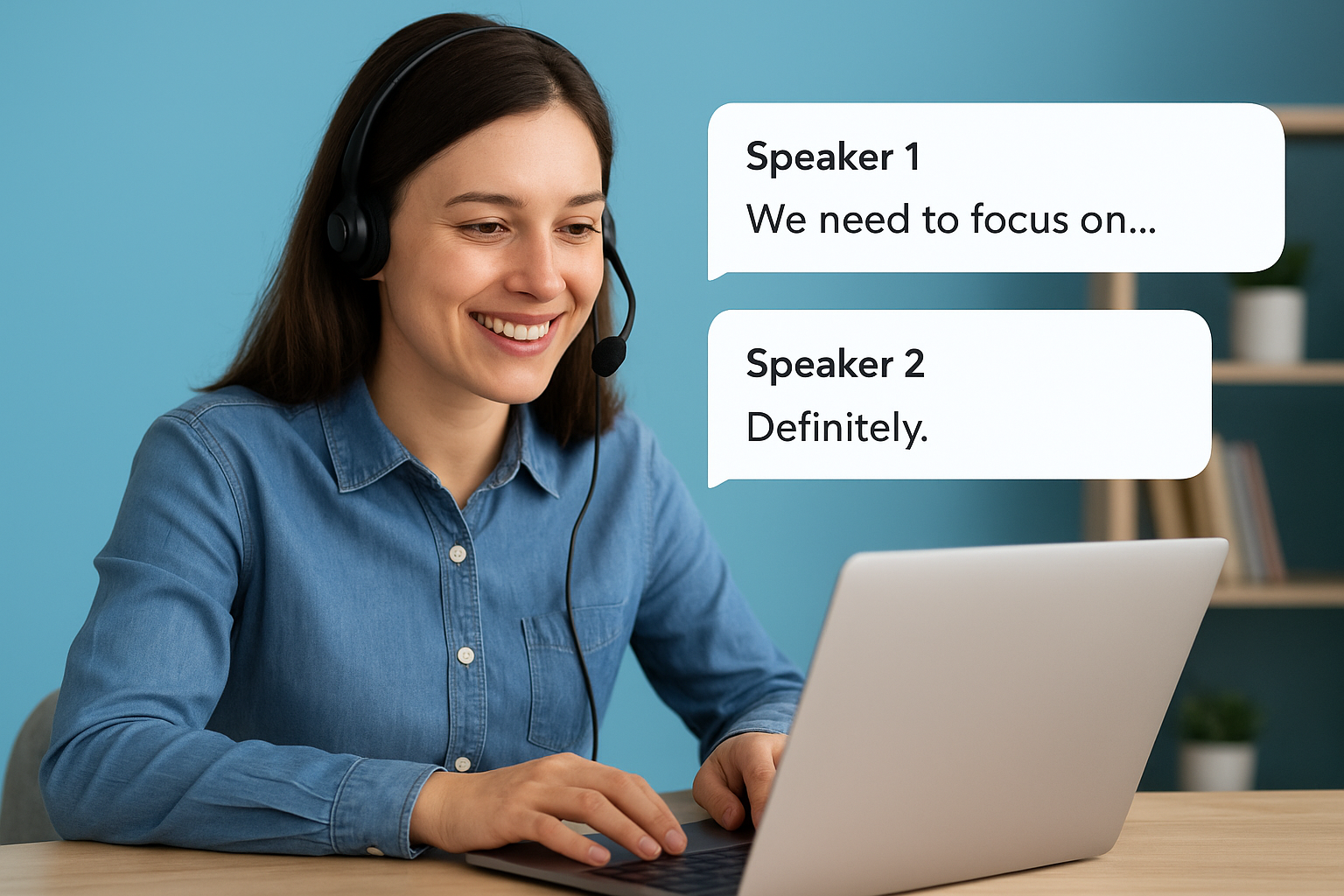
Otter assigns speaker labels automatically and generates short summaries that highlight key points from your recording. The accuracy of speaker identification improves when participants have distinct voices and stable audio conditions.
Sharing and collaboration workflow
You can share transcripts directly with teammates inside Otter, leave comments on specific moments in the text, and highlight passages for follow-up. Export options include TXT and DOCX, which cover most standard use cases for meeting notes and interview records.
How pricing usually works
Otter offers a free tier with monthly transcription limits and paid plans that unlock longer recordings, more storage, and advanced team features at a fixed monthly rate per user.
6. Descript
Descript takes a different approach than most audio to text transcription service tools. It’s built for content creators, podcasters, and video editors who want to edit their media by editing the text transcript directly, rather than cutting waveforms in a traditional timeline.
What you get from the service
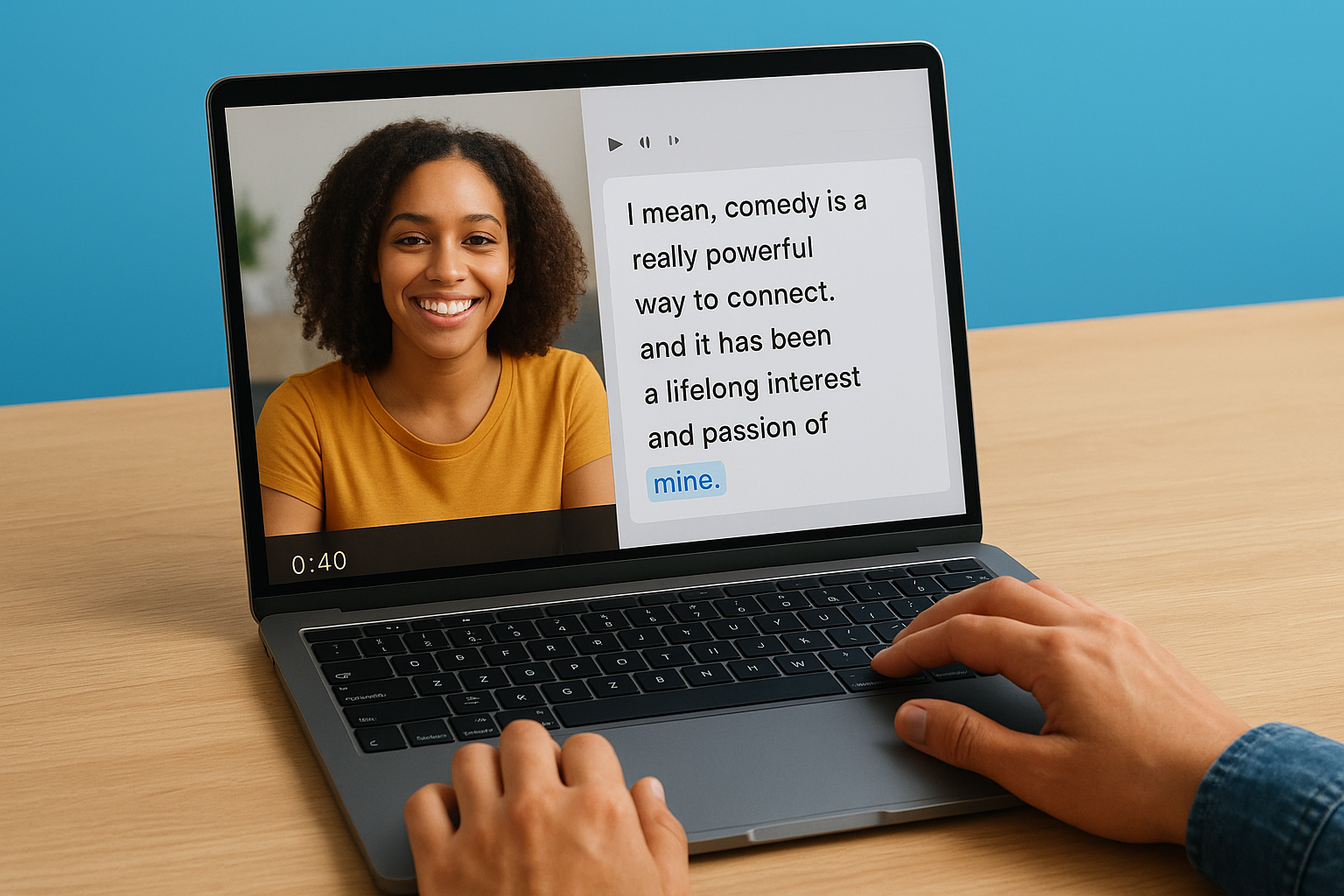
Descript transcribes your audio and video files automatically using AI, then displays the transcript alongside your media in a unified editor. You work on the text, and the corresponding audio or video updates in sync. The platform supports uploads in common formats including MP3, MP4, WAV, and MOV.
Best use cases for creators and editors
Descript suits you best if you produce podcasts, YouTube videos, or recorded interviews and want to cut filler words, tighten pacing, or remove mistakes without touching a waveform editor. It is not a strong fit for legal, medical, or compliance-sensitive recordings where AI-only accuracy creates real risk.
If your recordings involve legal proceedings or clinical content, a human-reviewed transcription service is a safer choice than an AI-only editing tool.
How transcript-based editing works
You delete text in the Descript editor and the corresponding audio or video segment disappears automatically. This makes removing filler words or restructuring a recorded conversation significantly faster than frame-by-frame timeline editing.
Captions, subtitles, and export options
Descript generates captions and subtitle files directly from your transcript, which you can export as SRT or burn into your video. Text exports include TXT and DOCX formats for standard document use.
How pricing usually works
Descript offers a free plan with limited transcription hours per month, and paid plans unlock more transcription time, higher export quality, and additional team collaboration features at a fixed monthly rate.
7. HappyScribe
HappyScribe is an AI-powered audio to text transcription service that targets content creators, researchers, and media teams who work across multiple languages. It combines automated transcription with a built-in editing environment, making it a practical option when you need both speed and some control over the final output.
What you get from the service
HappyScribe transcribes audio and video files using automated speech recognition and delivers an editable transcript through its web platform. You upload your file, select your language, and receive a transcript within minutes depending on file length and complexity.
Language coverage and speaker labeling
HappyScribe supports over 120 languages and dialects, which gives it broader coverage than many AI-only tools in this space. Speaker identification is included, and the platform assigns labels automatically based on voice distinctions across your recording.
If your recordings involve speakers of less common languages, verify HappyScribe’s accuracy for that specific language before committing to it for high-stakes work.
Editor, timestamps, and subtitle outputs
The built-in editor lets you correct the transcript, adjust timestamps, and add or remove speaker labels without switching tools. HappyScribe also generates subtitle and caption files in formats including SRT and VTT, which you can export for video publishing or accessibility compliance.
Team workflows and sharing options
You can invite team members to review or edit transcripts within a shared workspace, which suits small editorial or research teams. Export options include TXT, DOCX, PDF, and subtitle formats depending on how you plan to use the final file.
How pricing usually works
HappyScribe charges on a per-minute basis for pay-as-you-go use, with subscription plans available that bundle monthly transcription minutes at a lower per-minute rate.
8. Microsoft Word Transcribe
Microsoft Word’s built-in Transcribe feature brings audio to text transcription service functionality directly into a tool most professionals already use. It runs inside Word for the web and handles both live recordings and uploaded audio files without requiring a separate app or platform.
What you get from the service
Word Transcribe converts your recorded or uploaded audio into editable text within the familiar Word interface. You record directly in the browser or upload a saved file, and the tool processes it using Microsoft’s Azure AI speech recognition engine. The result appears as a structured transcript alongside your document.
Best use cases for Microsoft 365 users
This feature works best when you need a quick, no-friction transcript for meeting notes, recorded interviews, or personal voice memos and you’re already working in the Microsoft 365 ecosystem. It removes the need to move files between platforms.
If your recordings involve legal, medical, or compliance-sensitive content, a human-reviewed service will give you significantly more reliable output than an AI-only tool.
Supported formats, speaker labels, and edits
Word Transcribe accepts WAV, MP4, M4A, and MP3 formats and assigns speaker labels automatically based on voice differences. You can add the transcript directly into your Word document and edit individual speaker sections from within the transcript panel.
Limits, storage, and sharing basics
Each uploaded file is capped at 300 MB, and you can store up to five hours of transcribed audio per month. Transcripts save within your OneDrive account, so sharing follows standard Microsoft 365 permissions.
How pricing usually works
Word Transcribe is included with Microsoft 365 subscriptions at no additional cost, making it a zero-overhead option for existing subscribers.
9. Google Cloud Speech-to-Text
Google Cloud Speech-to-Text is an API-based audio to text transcription service built for developers and engineering teams who need to embed speech recognition directly into their own applications or data pipelines. It is not a consumer product with a point-and-click interface, so it works best when your team has the technical resources to integrate and manage it.
What you get from the service
Google Cloud Speech-to-Text converts audio and video input into text using machine learning models trained on large speech datasets. You access the service through Google’s REST or gRPC API, with support for streaming audio in real time as well as batch processing of pre-recorded files. It handles formats including FLAC, MP3, WAV, and OGG.
Best use cases for products and engineering teams
This service fits teams building voice-enabled applications, call analytics platforms, or automated transcription workflows that need to process audio at scale. It is not designed for professionals who need a finished transcript delivered to their inbox.
If you need a ready-to-use transcript without writing code, a managed transcription service is a more practical choice than a raw API.
Accuracy drivers like models and audio quality
Google offers multiple speech recognition models, including options optimized for phone calls, video, and command-based input. Clean audio with minimal background noise produces the most reliable output, while poor recording conditions or heavy accents reduce accuracy noticeably.
Security, compliance, and data residency basics
Google Cloud Speech-to-Text runs on Google’s infrastructure with encryption in transit and at rest. You can configure data residency settings to control where your audio is processed, which matters for regulated industries.
How pricing usually works
Google charges on a per-second basis for audio processed, with rates varying by the model you select and whether you use standard or enhanced recognition.
Next Steps
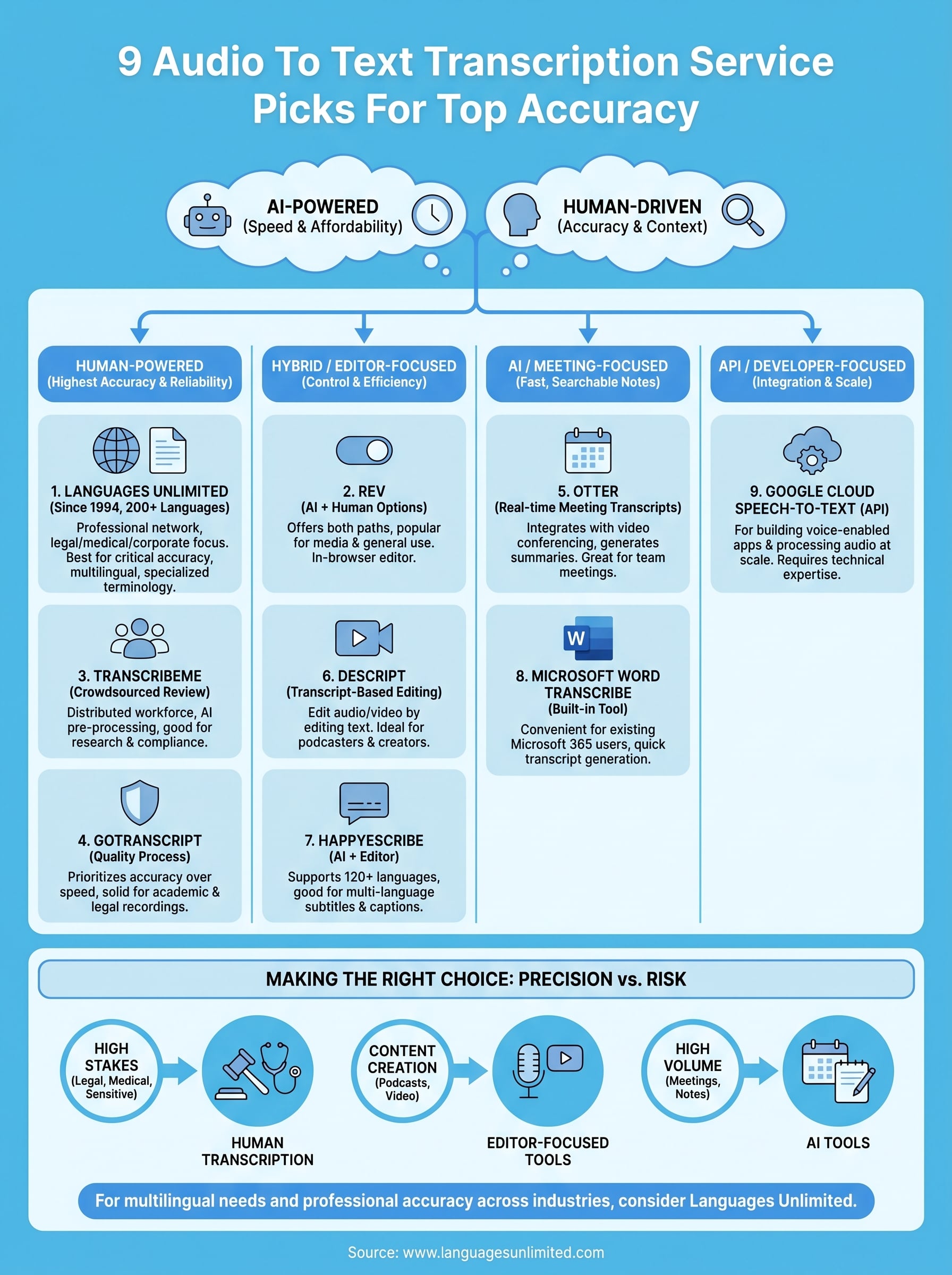
The nine options above cover the full range of what the audio to text transcription service market offers right now, from AI tools built for speed to human-reviewed services built for accuracy. Your choice comes down to how much precision your work requires and what the cost of an error looks like in your field.
If you work in legal, medical, government, or compliance-sensitive environments, automated tools introduce risk that human transcription eliminates. Speed matters less than accuracy when the text you produce carries professional or legal weight. For high-volume, lower-stakes content, an AI tool may be enough.
Languages Unlimited has handled complex transcription projects across hundreds of languages and specialized industries since 1994. If you need reliable, human-reviewed transcription with multilingual support and no guesswork on accuracy, reach out to the Languages Unlimited team to discuss your project and get a quote tailored to your specific needs.