



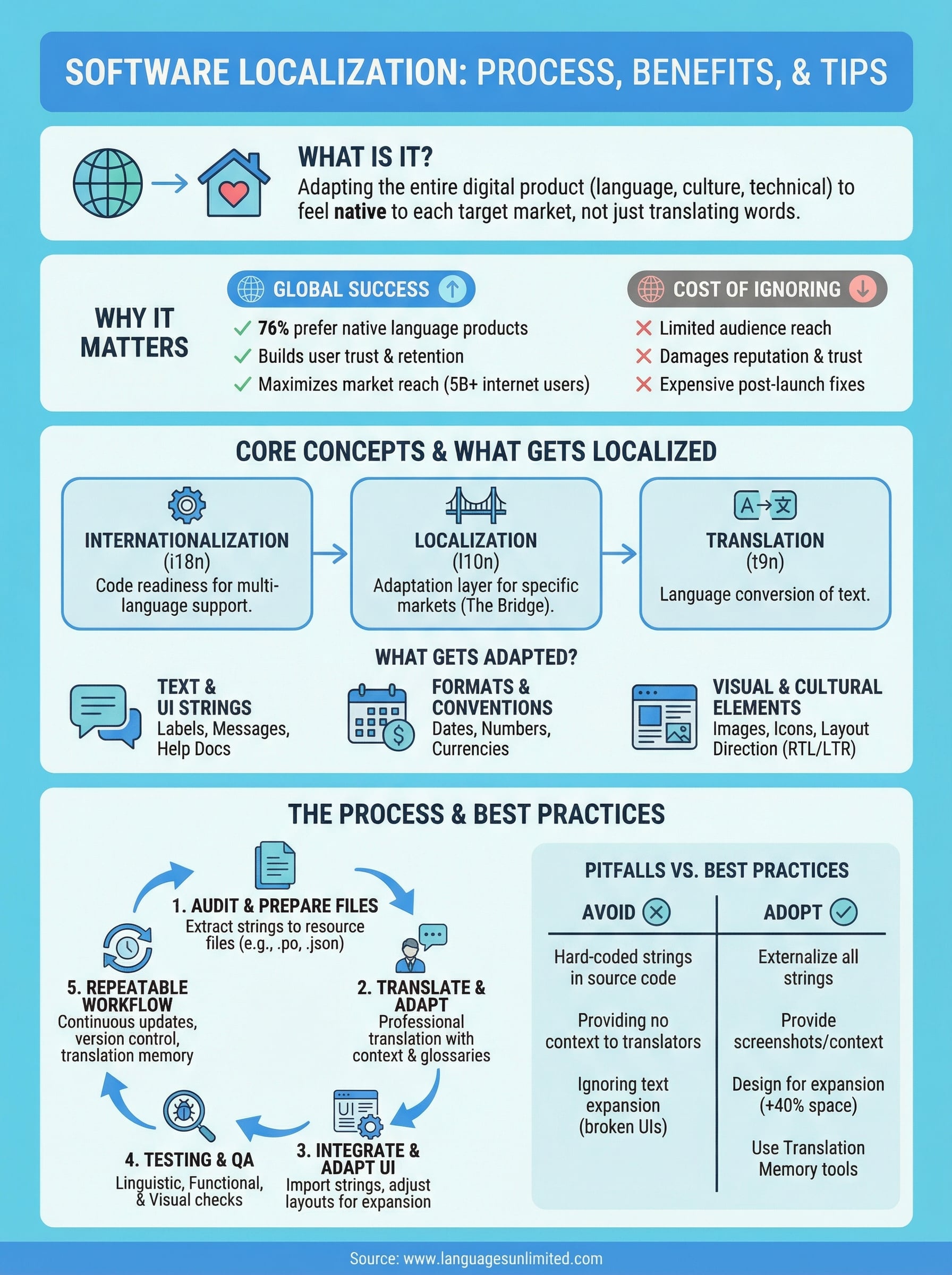
You built a great product. It works, people love it, and now you want to take it global. But here’s the thing, releasing your software in another country isn’t just about translating the interface into a new language. That’s where understanding what is software localization becomes critical. It’s the process of adapting your entire digital product, from date formats and currencies to images, layouts, and cultural references, so it feels native to each target market.
Software localization sits at the intersection of language expertise, technical know-how, and cultural awareness. Simple translation covers words. Localization covers experience. It’s the difference between a user reading your app and a user trusting your app enough to pay for it, recommend it, or rely on it daily. Get it wrong, and you risk confused users, poor reviews, and lost revenue in markets you spent real money trying to enter.
At Languages Unlimited, we’ve supported translation and localization projects across 200+ languages since 1994, working with businesses, government agencies, and organizations that need accuracy and cultural precision at scale. Our network of over ten thousand language professionals gives us the depth to handle complex, multilingual projects, including the kind of nuanced adaptation that software localization demands.
This article breaks down exactly what software localization involves, how the process works from start to finish, why it matters for your bottom line, and practical tips to get it right. Whether you’re a product manager planning your first international release or a developer looking to streamline your localization workflow, you’ll walk away with a clear, actionable understanding of the entire process.
Why software localization matters
Understanding what is software localization starts with understanding what you leave on the table when you skip it. More than 5 billion people use the internet today, and the vast majority of them don’t browse, shop, or make decisions in English as their first language. If your software only works well for English speakers, you’ve already narrowed your potential audience dramatically before a single user ever reaches your onboarding screen. That’s not a targeting decision, it’s a default you may not have made deliberately.
The global market opportunity
Consumer behavior research consistently shows that people prefer to buy products in their native language, and a substantial share of users won’t purchase at all if they can’t read the interface comfortably. According to data published by CSA Research, 76% of consumers prefer to buy products with information in their own language, and over 40% will never buy from websites in other languages. These aren’t small margins. They’re the difference between a product that competes in a market and one that sits at the edge of it.
If your software speaks only one language, it’s not a global product, it’s a domestic one with international ambitions.
When you localize properly, you send a signal to each market that you understand their context and you’ve invested in their experience. That signal has direct commercial weight. It influences conversion rates, reduces support volume, and builds the kind of brand credibility that’s very hard to buy back once you’ve lost it by launching a half-adapted product.
User trust and product experience
A user who opens your app and finds the date formatted incorrectly, the currency symbol missing, or the text spilling outside its container doesn’t feel like they’re using a polished product. They feel like they’re using something that wasn’t made for them. That friction compounds fast. Confused users become frustrated users, and frustrated users churn, often after writing a review that follows your product’s reputation in that region for years.
Localization directly shapes user trust, retention, and long-term satisfaction. When your product fits naturally into a user’s language, culture, and technical environment, they engage with it more deeply and return to it more often. Markets like Japan, Germany, and Brazil have high expectations for software precision. A product that gets their local context right earns a level of loyalty that generic, English-first software simply doesn’t.
The cost of getting it wrong
Launching in a new market without proper localization doesn’t just underperform. It actively damages your reputation in that region and creates a recovery problem that costs more than the original investment would have. Poorly localized software drives up churn rates, increases support tickets in languages your team may not staff, and can trigger compliance issues in regulated industries where specific language requirements carry legal weight. Healthcare software, legal platforms, and government-facing tools frequently operate under strict language accessibility obligations.
Fixing localization errors after a product is already live costs significantly more than building localization into your development workflow from the beginning. Reworking code structure, revising database strings, updating UI layouts, and re-releasing builds across multiple regions consumes budget and developer time at a scale that surprises most teams the first time they experience it. Product teams that plan for localization early consistently spend less overall and launch in new markets faster than teams that treat it as a post-launch patch.
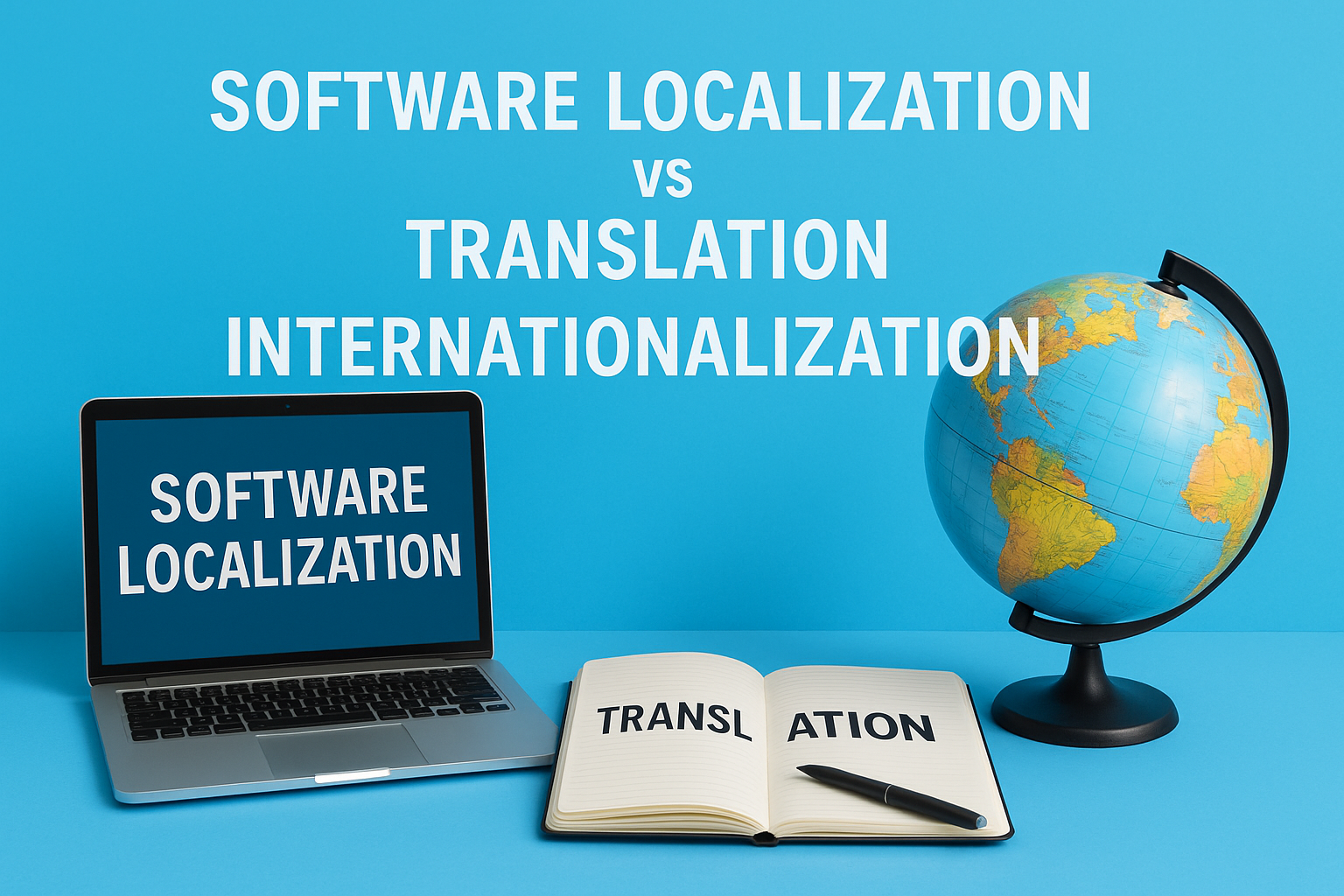
Software localization vs translation vs internationalization
These three terms get used interchangeably in product discussions, but they describe distinct processes with different scopes, timelines, and responsibilities. Mixing them up leads to project plans that underestimate the work involved and deliverables that fall short of what users in each market actually need. Before you scope your next global release, you need a clear picture of how these concepts relate and where each one begins and ends.
What translation covers
Translation is the conversion of text from one language to another. It’s a core component of localization, but it’s only one piece of it. A translator takes your source content and renders it accurately in the target language, preserving meaning while accounting for grammar and syntax differences. What translation doesn’t touch is everything else: your layout, your number formats, your images, your logic flows, or the cultural assumptions baked into your product design. You can have a perfectly translated interface that still feels foreign and unusable to your target audience because the rest of the product wasn’t adapted.
What internationalization means
Internationalization, often shortened to i18n, is the engineering work you do before localization begins. It’s the process of designing and building your software so it can support multiple languages and regions without requiring structural code changes for each new market. This includes separating text strings from source code, building support for right-to-left scripts, enabling flexible date and number formatting, and ensuring your UI scales when translated text expands or contracts. If you skip internationalization and jump straight to localization, your developers end up retrofitting your codebase for every new language, which is slow, expensive, and error-prone.
Internationalization is what you build into your product. Localization is what you apply to it. Translation is one part of that application.
How the three work together
Understanding what is software localization means seeing it as the middle layer between internationalization and translation. Internationalization prepares your codebase to handle cultural and linguistic variation. Localization then adapts the product for a specific market, adjusting everything from language and formatting to images and legal requirements. Translation handles the language component within that process. A well-planned global product uses all three: internationalization sets the foundation, localization shapes the market-specific experience, and accurate translation ensures the language layer holds up under real user expectations. Treat them as a sequence, not as alternatives to each other.
What gets localized in software and why it breaks
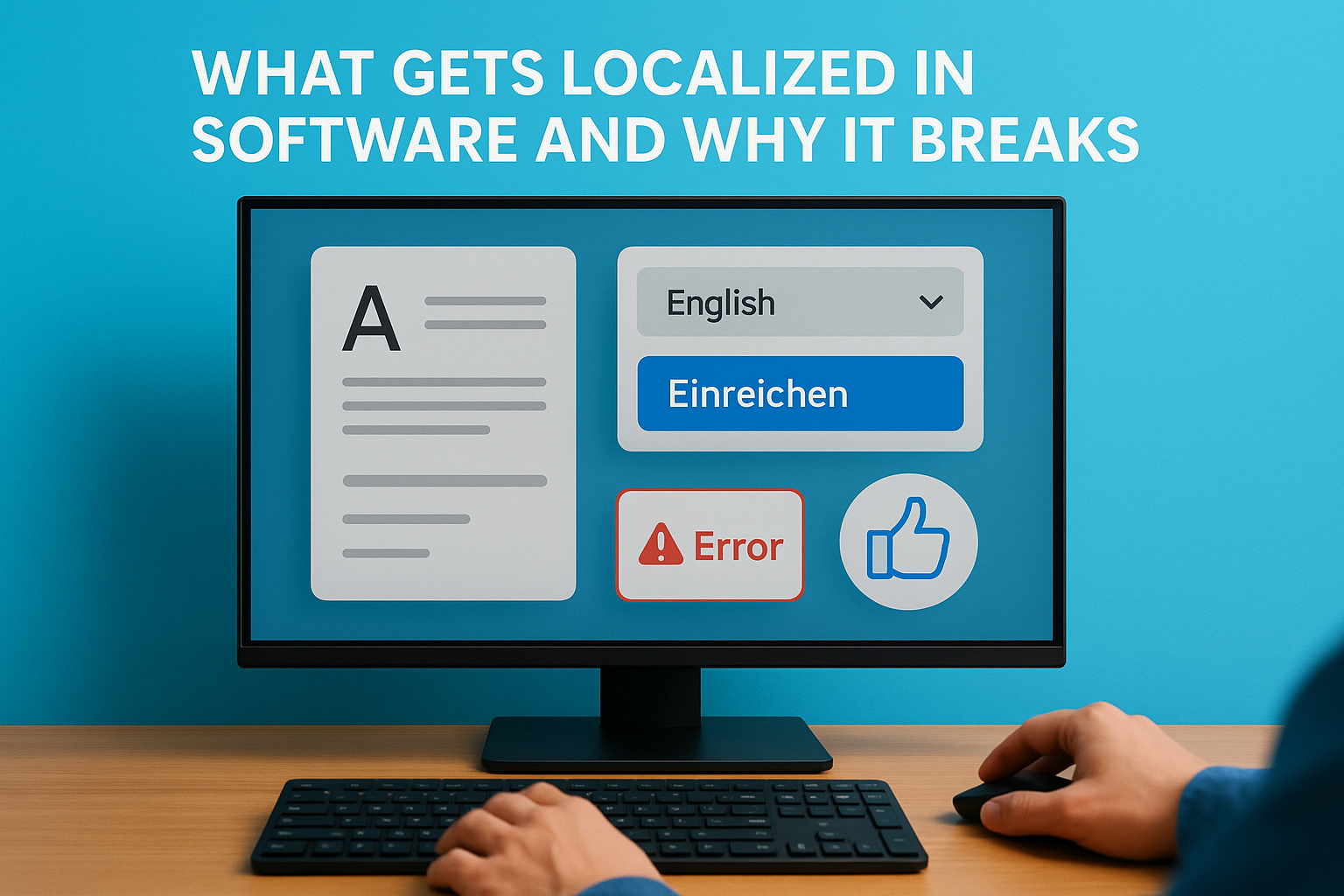
When product teams ask what is software localization, they often imagine it as swapping out text strings and calling it done. The reality is that software contains dozens of elements that each require intentional adaptation, and many of them interact with each other in ways that break the product when one piece is changed without accounting for the others. Knowing exactly what needs localization, and why each element is a failure point, saves you from expensive corrections after launch.
Text strings and UI copy
Your interface text, error messages, tooltips, button labels, and onboarding copy all need accurate translation that also fits the physical space your UI provides. This is where most teams first encounter the text expansion problem: German and French text commonly runs 30 to 40 percent longer than English equivalents, which means a button that reads "Submit" in English may truncate or overflow its container entirely in another language. Hard-coded strings buried in source code are another common failure point, because they can’t be extracted without developer intervention, which slows your entire localization workflow significantly.
Plan your UI with text expansion in mind before a single string gets translated, or you’ll redesign it twice.
Formats, currencies, and regional conventions
Date formats, time conventions, currencies, measurement units, and phone number structures vary significantly across regions and need to be adapted dynamically based on locale. The US formats a date as MM/DD/YYYY, while most of Europe uses DD/MM/YYYY and ISO standards use YYYY-MM-DD. A user who sees the wrong format doesn’t just get confused; they make errors, lose trust, and contact your support team. Currencies require more than symbol swaps: they involve correct decimal separators, digit grouping, and placement of the currency symbol relative to the number, all of which differ by locale.
Cultural and visual elements
Images, icons, color choices, and the direction of your layout carry cultural meaning that doesn’t transfer automatically across markets. A thumbs-up icon reads as approval in most Western markets but can be offensive in parts of the Middle East. Right-to-left languages like Arabic and Hebrew require your entire interface layout to mirror, which affects navigation placement, text alignment, and scroll behavior. Skipping this layer produces a product that technically speaks the right language but visually signals to users that it was never designed with them in mind.
The software localization process step by step
Knowing what is software localization in theory is useful, but running the process efficiently in practice is what separates teams that launch smoothly from teams that spend months fixing problems after release. The process involves clear, sequential phases that build on each other, and skipping any one of them creates gaps that show up as broken layouts, inaccurate content, or failed QA cycles down the line.

Audit your content and prepare your files
Before any translation begins, you need to identify every piece of content that requires localization across your entire product. That includes UI strings, help documentation, error messages, marketing copy embedded in the app, images containing text, and any region-specific logic. Once you complete the audit, your development team extracts all translatable strings into external resource files such as .po, .xliff, or .json formats. This separation makes it possible to send content to translators without giving them access to your codebase, which protects both your code integrity and your timeline.
The quality of your file preparation directly determines how fast and cleanly every subsequent step in the localization process runs.
Translate and adapt the content
With your files prepared, your translation and localization team works through the content using professional translators, translation memory tools, and style guides built specifically for each target locale. This isn’t word-for-word conversion. Translators adapt tone, handle culturally specific references, and flag content that doesn’t transfer cleanly so your team can make informed decisions before those issues become live problems. Providing a glossary and a context guide at this stage dramatically reduces revision cycles and keeps terminology consistent across every localized market you’re targeting.
Integrate and adapt the UI
Once translated content comes back, your developers import the localized strings and test them inside the actual product interface. This is where text expansion issues, broken layouts, and formatting conflicts surface in full. Your team adjusts containers, font sizes, and spacing to accommodate languages that run longer or shorter than English. For right-to-left languages, mirroring the entire UI layout is a separate engineering task that requires dedicated testing time and should never be treated as a minor cosmetic tweak.
Build a repeatable workflow, not a one-time project
Localization doesn’t end at launch. Every new feature release, content update, and UI change triggers a new round of localization work for every active locale. Teams that build a repeatable workflow, including version-controlled string files, clear handoff processes, and scheduled localization sprints, maintain their international releases efficiently without falling behind their core product development cycle.
Testing and quality checks for localized software
Testing localized software is not optional, and it’s not a quick pass through the UI before you ship. Every language you add introduces a new set of potential failures across text rendering, layout behavior, formatting logic, and cultural accuracy. Understanding what is software localization at a deep level means recognizing that the testing phase is where localization succeeds or fails in practice, regardless of how clean your translation files looked when they came back from your language team.
Linguistic and functional testing
Linguistic testing verifies that your translated content is accurate, contextually appropriate, and reads naturally to native speakers of the target language. This goes beyond checking that strings didn’t get corrupted or cut off during import. A native-speaking reviewer reads through the full interface in context, checking that terminology is consistent, tone matches your product voice, and nothing has been translated too literally in a way that changes meaning or sounds unnatural. Errors that slip through this stage damage user trust in ways that are difficult to fix after a market launch.
Functional testing checks that all interactive elements behave correctly in each locale after localization strings are imported. This means testing form validation messages, error states, date pickers, currency inputs, and any logic that triggers based on user text input. A field that accepts 10-character US phone numbers may reject valid phone numbers formatted to German or Brazilian conventions unless your team explicitly built and tested locale-aware validation rules.
Visual and layout QA
Layout QA focuses on how your UI holds together visually when translated content replaces your source strings. You need to check every screen at every breakpoint for text overflow, truncation, misaligned containers, and broken spacing that results from languages running longer or shorter than English. This step requires actual builds in each target locale, not screenshots or static mockups. Right-to-left languages require a complete review of navigation flow, icon placement, and scroll behavior in addition to standard layout checks.
Catching a broken layout in QA costs an hour of developer time. Catching it after launch costs you the market.
User acceptance testing in market
In-market user acceptance testing puts real users from your target region inside the product before you release it publicly. These testers catch issues that even fluent translators miss because they interact with the product the way actual customers will, not the way a reviewer reads through a string file. Recruit native speakers who match your target user profile and give them realistic tasks to complete so you surface friction points in actual usage patterns rather than controlled review conditions.
Common pitfalls and best practices
Most teams that struggle with software localization don’t fail because they lack resources. They fail because they repeat the same preventable mistakes that add weeks and budget to every release cycle. Understanding what is software localization at a practical level means recognizing where projects typically break down and building habits that keep them on track before problems have a chance to compound.
Skipping context for your translators
Translators who receive string files without context make guesses, and those guesses are wrong often enough to require significant revision rounds. A string like "Done" could refer to a button, a status label, or a confirmation message, and each context demands a different word choice in many languages. Provide your translation team with screenshots, in-app recordings, or a staging environment so they can see exactly where each string appears before they translate it. This single practice reduces revision cycles more than almost any other workflow improvement.
The less context your translators have, the more rework your developers will do.
Hard-coding strings and ignoring text expansion
Hard-coded text buried in source code is one of the most common technical pitfalls in software localization projects. When strings aren’t externalized into resource files, your development team has to manually extract them every time you add a new language, which slows every cycle and introduces human error. Alongside this, teams that design UI containers for English-length text consistently end up rebuilding layouts when German or French translations run 30 to 40 percent longer than the original strings.
Fix both problems before your first localization sprint. Externalize all strings during development and set your UI containers to accommodate at least 40 percent text expansion from the start. You’ll spend far less time on layout corrections across every language you add after that point.
Best practices that hold up at scale
Teams that localize well treat the process as a continuous workflow rather than a project with a fixed end date. They maintain a centralized glossary so terminology stays consistent across markets, they version-control their resource files alongside the codebase, and they run localization sprints in parallel with feature development instead of as a separate phase that always finishes late.
Investing in translation memory tools also pays consistent returns as your product grows. As localized content accumulates across updates and releases, translation memory reuses previously approved strings and reduces both cost and turnaround time without sacrificing consistency across your active markets.
How to plan scope, budget, and vendors
Planning a localization project without a defined scope is how teams end up overspending on the wrong deliverables and underdelivering in the markets that matter most. Before you engage any vendor or set a budget, you need a clear picture of what you’re actually asking people to localize, how many languages you’re targeting, and what your release timeline looks like. Rushing this planning phase costs more than taking the time to get it right.
Define your scope before you price anything
Your scope determines everything downstream: how long the project takes, how much it costs, and what your vendor actually needs to deliver. Start by listing every content type that requires adaptation, including UI strings, help documentation, legal notices, error messages, and any embedded marketing copy. Then identify which target markets are priorities for this release cycle, because localizing for five languages at launch is a fundamentally different project than localizing for fifteen.
A clear scope document should answer three questions before you send a single request for proposal:
- What content types are included in this localization pass?
- Which locales are in scope for this release, and which are planned for a later phase?
- What quality level do you need, professional human translation, post-edited machine translation, or a hybrid approach based on content type?
Build a realistic budget
Understanding what is software localization at a budget level means separating your costs into distinct categories rather than treating it as a flat line item. Translation is typically priced per word, but engineering work, QA cycles, and project management each carry their own costs that many first-time localization buyers don’t account for. Right-to-left language support, for example, adds engineering time that has nothing to do with translation word count.
Budget for testing the same way you budget for translation, because QA failures in localization cost more to fix after launch than the testing would have cost upfront.
Choose the right vendor for your project type
Not every language service provider is equipped to handle technical software localization at scale. When evaluating vendors, ask specifically about their experience with your file formats, their use of translation memory tools, and their process for handling strings that require contextual review. Vendors with a proven track record in your industry, whether that’s healthcare, legal, or enterprise software, bring terminology knowledge and compliance awareness that general translation agencies typically don’t offer. Request references from clients with similar project complexity before you sign any contract.
What to do next
Now that you understand what is software localization and how each phase connects, the next step is to take a clear-eyed look at your own product and identify where the gaps are. Start by auditing your current string structure, UI flexibility, and target market priorities before you commit to any vendor or timeline. The planning work you do now directly determines how smoothly your first localized release runs and how much you spend fixing problems that should have been caught earlier.
If your project involves regulated industries like healthcare or legal, or if you need coverage across multiple languages at once, working with an experienced language services partner makes a measurable difference in both speed and accuracy. Languages Unlimited has supported complex, multilingual projects since 1994 across a network of over ten thousand professionals. Contact our team to discuss your localization needs and find out how we can help you reach your next market with confidence.