



Otter transcription has become one of the most popular AI-powered tools for converting speech to text automatically. Whether you’re a student recording lectures, a professional capturing meeting notes, or a content creator needing quick transcripts, Otter.ai promises to simplify the process with real-time transcription capabilities.
At Languages Unlimited, we’ve provided professional transcription services since 1994, working with legal firms, healthcare providers, and businesses that require accuracy and reliability. This gives us a practical perspective on how automated tools like Otter stack up against human-powered transcription, and where each option makes sense for different use cases.
This article breaks down Otter’s core features, current pricing tiers, and how the platform actually works. You’ll also learn about its limitations and when you might need a more robust transcription solution for specialized or high-stakes content.
What Otter transcription is and who it helps
Otter transcription is an AI-powered service that converts spoken audio into written text automatically. You record or upload audio through the Otter.ai platform, and the software processes the speech in real-time or post-recording to generate a searchable transcript. The service handles most English-speaking scenarios and includes features like speaker identification, keyword extraction, and collaborative editing.
Who relies on Otter daily
Students use Otter to capture lecture recordings without the pressure of manual note-taking during class. You can focus on understanding the material while the app handles transcription duties, then review and highlight key concepts later. Many universities have adopted Otter for accessibility purposes, providing students with hearing impairments or learning differences equal access to spoken content.
Professionals depend on the platform for business meetings, client calls, and interview documentation. Sales teams record discovery calls to review customer pain points. Journalists transcribe interviews to speed up their writing process. Remote workers use Otter to document virtual meetings when they can’t attend live, creating a reference point for action items and decisions.
When Otter works best
Content creators find value in Otter when they need to repurpose video content into blog posts or social media captions. Podcasters use it to generate show notes and episode summaries. The platform handles most casual recording environments, though it struggles with heavy accents, multiple overlapping speakers, or technical jargon from specialized fields like medicine or law.
Otter delivers quick, searchable transcripts of standard English conversations in relatively clear audio conditions, but may require editing for specialized content.
Why Otter transcription matters for work and school
Otter transcription solves a specific problem that affects both workplace productivity and academic performance: the challenge of capturing complete information during fast-paced conversations. You might miss critical details while frantically typing notes during a meeting, or struggle to recall exact statements from a professor’s lecture weeks later. Otter removes this pressure by creating a permanent record you can search, reference, and share with others who need the same information.
For workplace efficiency
Your team gains immediate access to meeting discussions without waiting for someone to compile manual notes. Otter transcription lets remote team members review conversations they missed, while sales teams can analyze customer language patterns across multiple calls to identify common objections or feature requests. Project managers reference specific decisions from past meetings rather than relying on incomplete memory or fragmented notes.
Automated transcription turns spoken content into searchable documentation that your entire team can use as a reference point for decisions and action items.
For educational success
Students review lecture transcripts at their own pace instead of rushing through handwritten notes during class. You can search for specific concepts across all your recorded sessions, making exam preparation more targeted and efficient. Study groups share transcripts to ensure everyone has access to the same source material, regardless of attendance or note-taking ability.
How Otter transcription works from recording to export
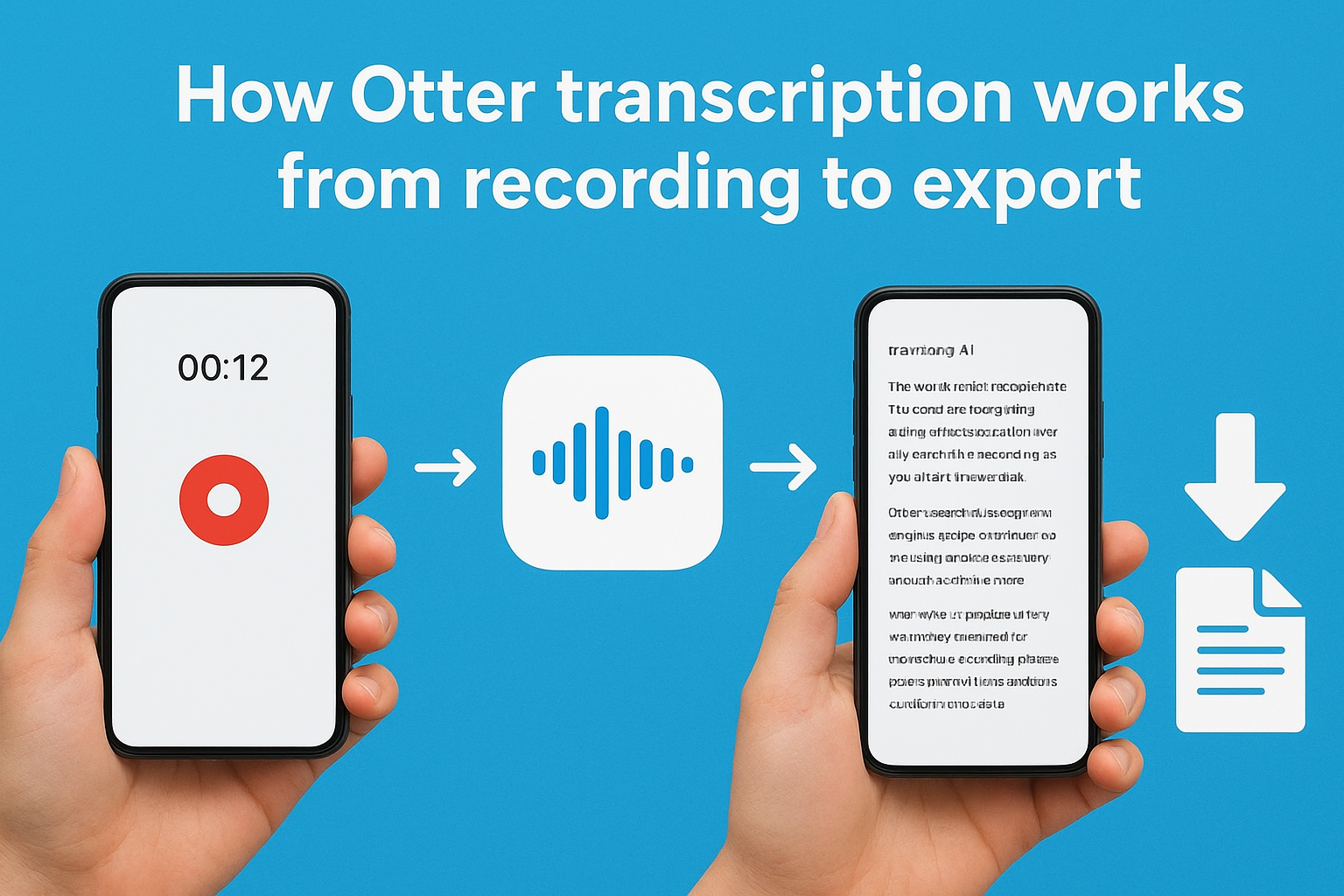
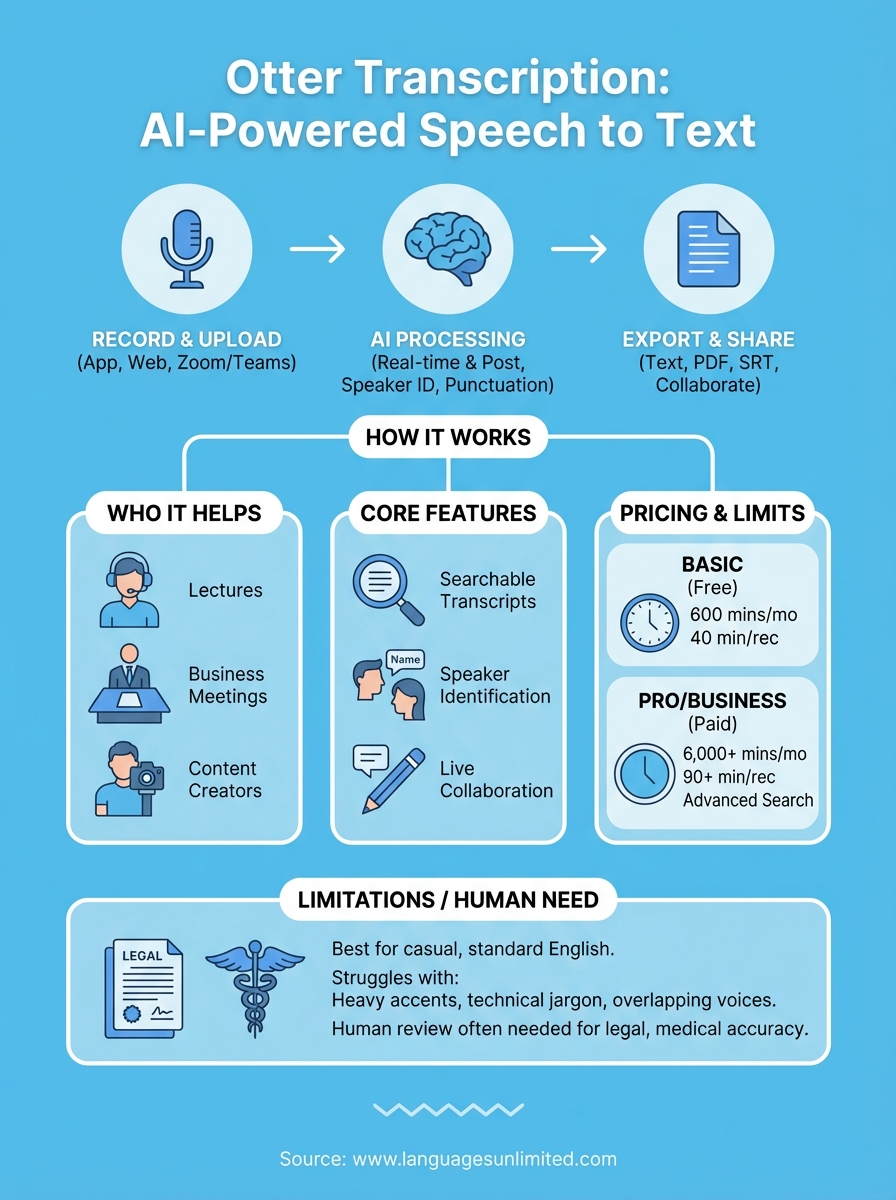
Otter transcription follows a straightforward process from capturing audio to delivering your final text document. You start by recording directly through the Otter mobile app or web interface, uploading an existing audio file, or connecting Otter to your video conferencing platform like Zoom or Microsoft Teams. The platform accepts common audio formats including MP3, WAV, and M4A files for upload.
Starting your recording or upload
You initiate transcription by tapping the record button in the Otter app or uploading a pre-recorded file through the web interface. The service begins processing immediately if you’re recording live, displaying text on your screen in real-time as you speak. Uploaded files enter a processing queue where Otter’s AI analyzes the audio before generating your transcript.
The AI processing phase
Otter’s speech recognition engine breaks down your audio into individual words and attempts to identify different speakers throughout the recording. The system applies punctuation automatically based on speech patterns and pauses, though you’ll often need to review these for accuracy. Processing time for uploaded files varies by length, typically taking a few minutes for hour-long recordings.
Exporting your final transcript
You download completed transcripts as plain text files, PDFs, or SRT caption files depending on your intended use. Otter transcription also lets you share transcripts with collaborators who can edit and highlight sections directly within the platform.
The entire workflow from recording to export takes just minutes for most standard audio, making it faster than manual transcription but less precise than human review.
Otter transcription features you will actually use
Otter transcription offers dozens of capabilities, but most users rely on a core set of features for their daily work rather than exploring every available option. Your productivity gains come from functions that directly solve transcription pain points: finding specific information quickly, organizing different speakers, and correcting inevitable AI mistakes before sharing documents with colleagues or classmates.
Speaker identification and labeling
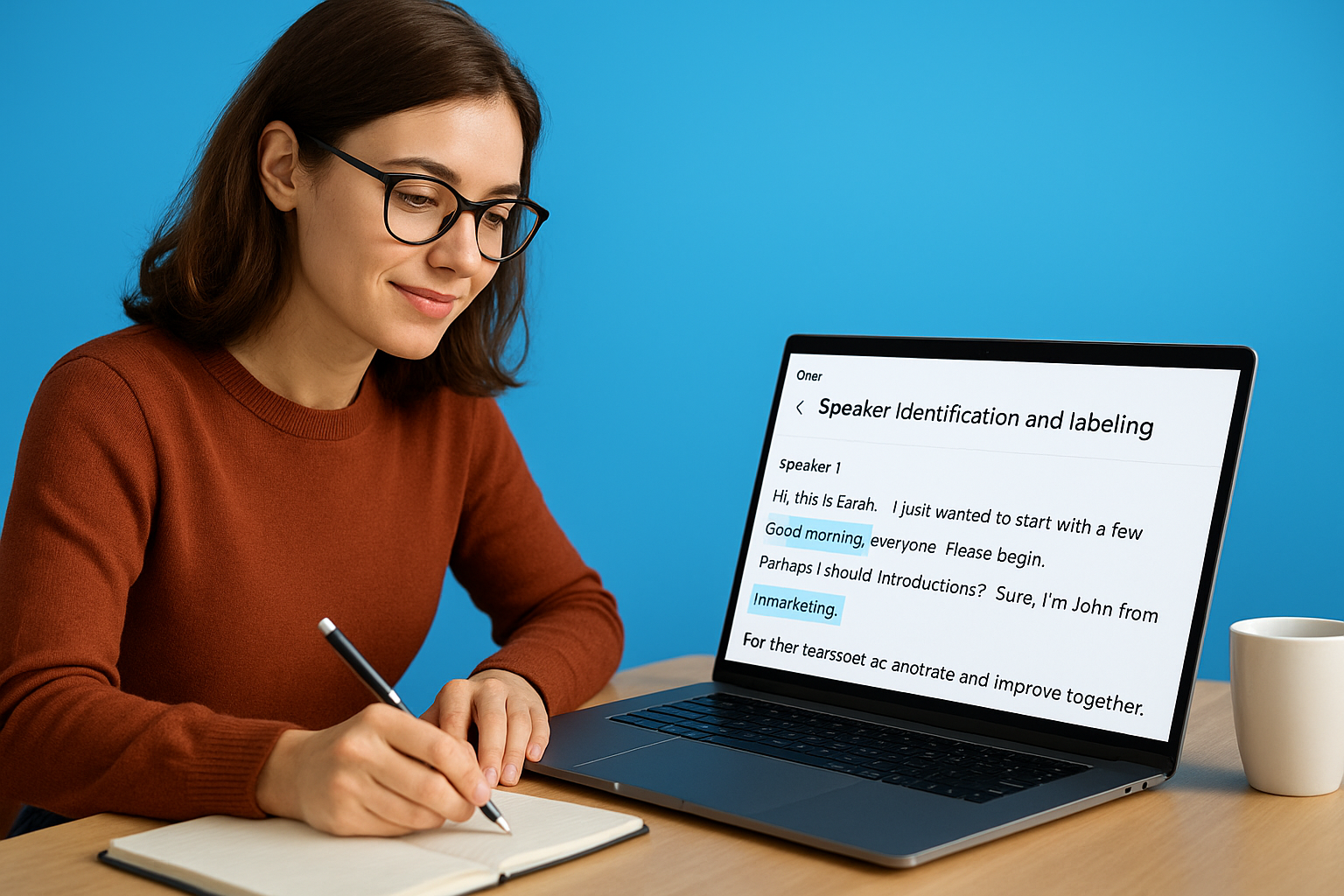
Otter transcription assigns different speakers throughout your recording based on voice patterns and speaking turns. You see these labeled as Speaker 1, Speaker 2, and so on until you manually rename them with actual names or roles. This feature works reasonably well in meetings with two or three distinct voices, though it struggles when participants have similar vocal characteristics or talk over each other frequently. You edit speaker labels by clicking the name field and typing the correct identifier, which updates all instances throughout your transcript.
Live transcript collaboration
Your team members join active recording sessions through a shared link, viewing the transcript as it generates in real time. Collaborators add comments, highlight key sections, or insert photos directly into the transcript during or after the meeting. This turns Otter transcription into a collaborative workspace rather than just a documentation tool.
Shared editing transforms transcripts from static documents into dynamic references your entire team can annotate and improve together.
Otter transcription pricing and limits to know
Otter transcription operates on a freemium model with three distinct pricing tiers that determine your monthly recording limits and feature access. The free Basic plan provides limited transcription hours each month, while paid tiers unlock longer recordings, advanced features, and higher accuracy for business users. Your choice depends on how frequently you need transcription services and whether you require team collaboration features.
Free tier restrictions
The Basic plan gives you 600 minutes of transcription per month across all your recordings, which breaks down to roughly 10 hours of content. You face a 40-minute limit per individual conversation, forcing you to stop and restart longer meetings or lectures. Free users also miss out on custom vocabulary features that improve accuracy for industry-specific terms or proper nouns your team uses regularly.
Paid plan benefits
Pro subscribers get 6,000 minutes monthly and 90-minute conversation limits for $16.99 per user each month. Business plans remove monthly caps entirely and add administrative controls for teams managing multiple users. Both paid tiers include advanced search capabilities and the ability to import existing audio files without counting against your live recording allowance.
Paid plans eliminate the frustration of hitting recording limits mid-meeting, but free tier works fine for occasional users with predictable, shorter transcription needs.
Next steps
Otter transcription delivers quick, automated transcripts for everyday recordings like meetings, lectures, and casual interviews where minor errors don’t create significant consequences. You’ll save time on routine documentation and get searchable text within minutes of finishing your recording.
However, your organization might require human-level accuracy for legal proceedings, medical records, court testimony, or contracts where a single transcription error could result in compliance issues or misunderstandings. Technical content with specialized terminology often needs professional review that automated systems can’t provide consistently, particularly in healthcare, legal, or government contexts.
Languages Unlimited has handled transcription projects since 1994 for clients who need certified, legally compliant transcripts across multiple languages and industries. Our team delivers accuracy that meets court standards and regulatory requirements, with transcriptionists who understand industry-specific terminology. If your project demands more than basic transcription or you need services in languages beyond English, contact our team to discuss how we can support your specific requirements.