



If your business serves customers who speak different languages, your website needs to speak those languages too. So what is website translation, exactly? It’s the process of converting your website’s content, text, multimedia, metadata, and user interface elements, into one or more additional languages so that users can interact with your site in the language they’re most comfortable with. It sounds straightforward, but there’s more to it than running pages through an automated translation tool and calling it done.
Getting website translation right means understanding the difference between literal translation and full localization, choosing the right approach for your content and audience, and building a process that keeps your multilingual site accurate over time. For businesses that deal with legal, medical, or government content, the stakes are even higher, mistranslated information can create compliance issues, erode trust, or alienate the people you’re trying to reach. At Languages Unlimited, we’ve worked with organizations across these sectors since 1994, providing professional translation services in over 200 languages, so we know firsthand what separates effective multilingual websites from poor ones.
This guide breaks down what website translation involves, the concrete benefits of going multilingual, how localization differs from translation, and the methods and tools available to get it done. Whether you’re a government agency serving diverse communities or a healthcare provider communicating with multilingual patients, you’ll walk away with a clear framework for making your website work in every language your audience needs.
What website translation covers on a real site
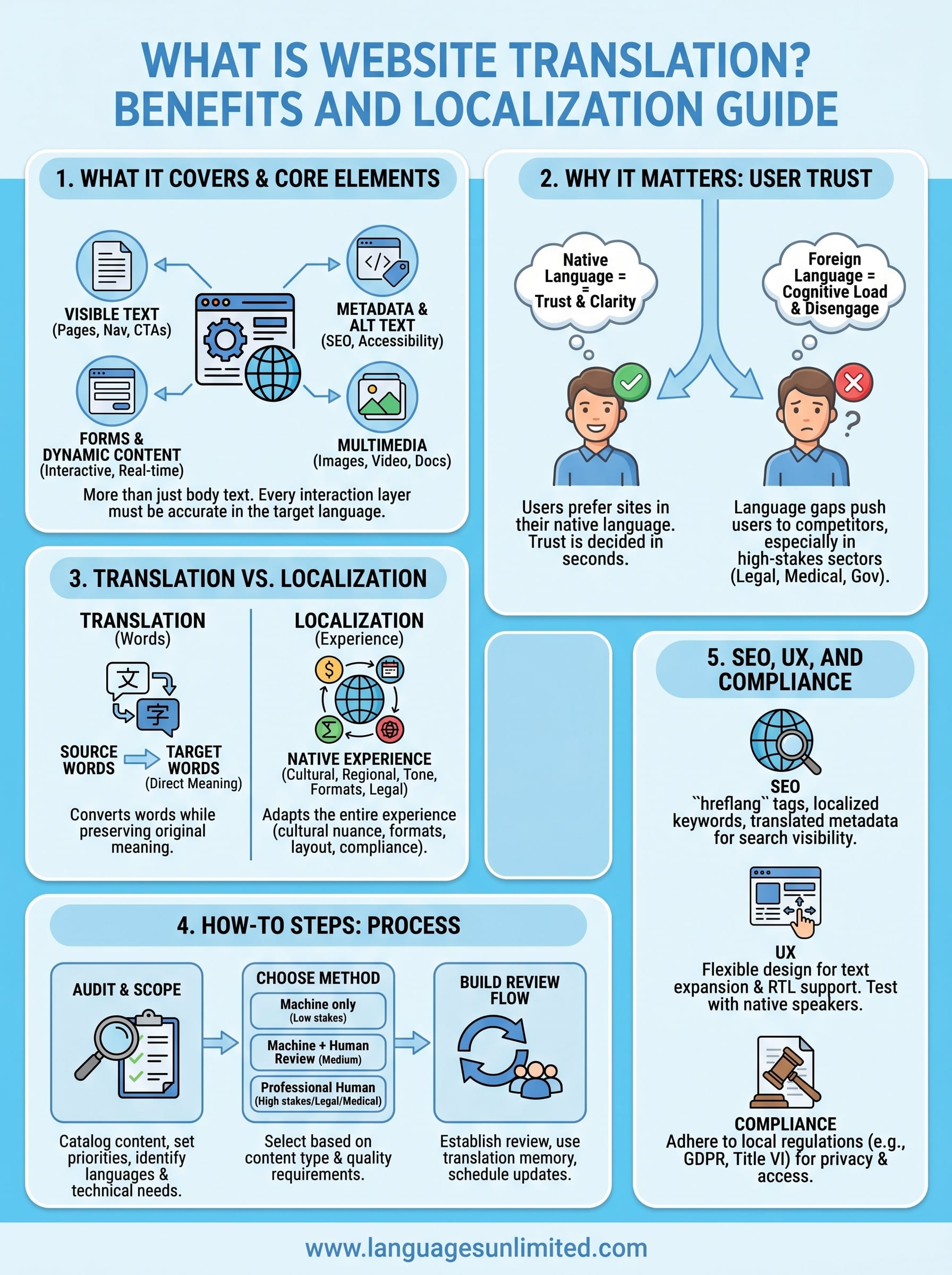
When people ask what is website translation, they often picture swapping out the body text on a few pages. In reality, a fully translated website touches far more content than that. Every piece of text your visitors read, every label on a button, every field in a form, and every tag a search engine reads is part of your site’s content layer, and all of it needs to work accurately in the target language.
Visible text: pages, navigation, and calls to action
Your visible text is the most obvious place to start. This includes page content like articles, product descriptions, service explanations, FAQs, and blog posts. It also includes your navigation menus, header and footer links, button labels, error messages, and calls to action. These short pieces of text are easy to overlook, but a button that reads "Submit" translated poorly or inconsistently can break user trust immediately. If you run a healthcare or legal website, your calls to action often carry legal or clinical weight, so accuracy here is not optional.
Every piece of visible text your visitors interact with shapes how much they trust your organization, which makes translation quality a business-critical decision, not just a content task.
Metadata, alt text, and structured data
Behind every page on your site sits content that visitors rarely see but that search engines and screen readers rely on heavily. Page titles and meta descriptions tell search engines what your page is about in each language. Alt text on images helps visually impaired users understand your visuals through assistive technology. Structured data markup, such as schema.org tags, also needs to reflect the correct language and regional context. If you only translate the visible text and ignore these layers, your multilingual pages will underperform in local search results and may fail accessibility standards in some jurisdictions.
Forms, dynamic content, and user-generated text
Many websites contain content that is not static. Contact forms, intake questionnaires, appointment schedulers, and live chat interfaces all generate text in real time, and each piece of that text needs to appear in the right language depending on the user’s settings. E-commerce sites deal with product filters, checkout flows, and order confirmation emails. Healthcare portals handle intake forms and patient instructions. Government websites may include eligibility screeners or document upload workflows. All of these components require translation as part of a coordinated process, not as an afterthought.
Multimedia content: images, video, and documents
Your website likely includes images with embedded text, videos with spoken audio, PDFs, and downloadable documents. Images that contain text need to either be recreated in the target language or replaced with text overlays. Videos require subtitles, captions, or full dubbing depending on your audience and compliance requirements. Downloadable documents, such as brochures, legal disclosures, or clinical instructions, need to be separately translated and formatted. Many organizations invest in translating their web pages but leave their support documents in one language, which creates a gap that undermines the whole multilingual experience for users who need complete information to take action.
Why website translation matters for user trust
When you think about what is website translation, the business case often centers on reach, but trust is equally important. Visitors decide within seconds whether they feel comfortable on a page, and language is one of the strongest signals they use to make that judgment. A site that speaks to users in their own language communicates that you’ve invested in serving them, and that impression shapes whether they complete a form, request a service, or leave without engaging.
Users make trust decisions in seconds
Research consistently shows that most people prefer to use websites in their native language, even when they also speak English. A study commissioned by the European Commission found that 9 out of 10 internet users prefer to visit sites in their own language when given a choice. When your site forces a French-speaking patient or a Spanish-speaking legal client to read content in a language they’re not fully comfortable with, you’re asking them to carry extra cognitive load at a moment when they need clarity most.
If your site makes visitors work harder to understand your content, many of them will simply find a provider who doesn’t.
Language gaps push users toward competitors
Poor or missing translation signals neglect, and that perception damages credibility fast in high-stakes contexts. For healthcare providers, a patient who can’t fully understand their intake process or care instructions may disengage entirely or seek care elsewhere. For legal firms, a client who misreads a services page due to translation errors may question the firm’s overall professionalism. Government agencies serving multilingual communities face both trust and compliance issues when their web content is only available in one language.
Your multilingual visitors arrive with real needs and limited patience. A well-translated site tells them that your organization understands their situation and respects their time. That’s not a marketing message; it’s a practical outcome of investing in accurate, professional translation across every content layer your visitors touch.
Translation vs localization and related terms
When people ask what is website translation, they’re often describing the first step in a larger process. Translation converts words from one language into another while preserving the original meaning. Localization goes further: it adapts the entire experience, including currencies, date formats, cultural references, images, and tone, so the content feels native to users in a specific region rather than imported from somewhere else.
What localization adds beyond translation
Localization treats your website as a cultural product, not just a text document. A translated page in Spanish for users in Spain might use different vocabulary, pricing formats, and legal disclosures than a localized page for users in Mexico or Argentina. Localization also covers things like right-to-left text layout for Arabic or Hebrew, regional spelling conventions for French in France versus French in Canada, and culturally appropriate imagery.
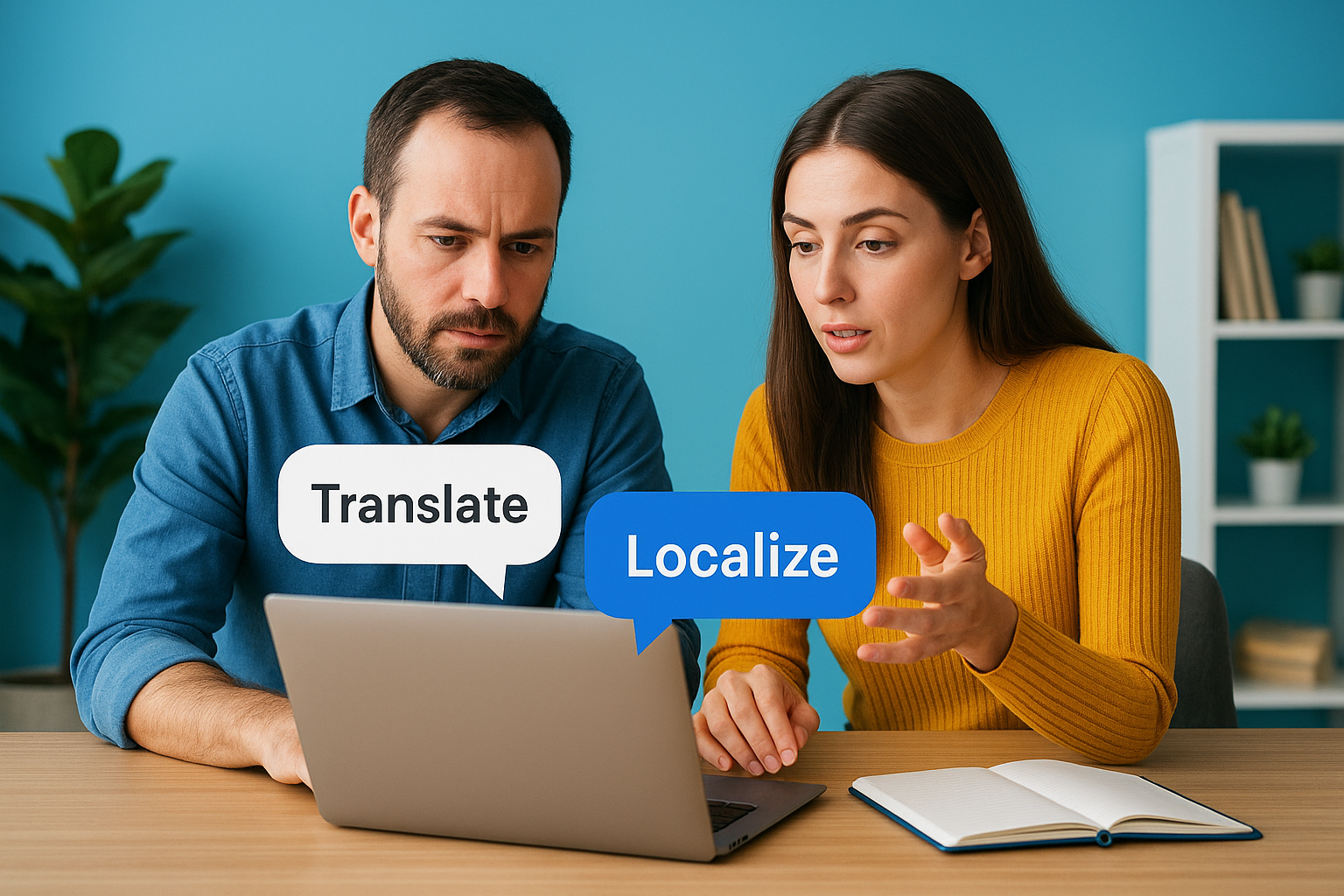
Your site may also need to display region-specific legal notices, payment methods, and contact information that differ by country. Without localization, you risk producing content that reads correctly but feels foreign or off to the very audience you’re trying to reach.
Translation converts your words; localization converts the entire experience your visitors have when they land on your site.
Three related terms worth knowing
Beyond translation and localization, three other terms come up frequently in multilingual web projects.
- Transcreation is used when creative content, such as taglines or marketing copy, needs to be reimagined rather than directly translated to preserve its intended impact across cultures.
- Internationalization (i18n) is the technical process of building your website’s code so it can support multiple languages and regional formats from the start, before any translation begins.
- Globalization (g11n) refers to the broader strategy of making your business ready to operate across multiple markets, of which translation and localization are two key components.
Understanding where each term fits helps you scope your project correctly from the beginning. If your developer says the site isn’t internationalized, that’s a technical gap to resolve before translation work starts. If your marketing team needs transcreation support, a word-for-word translation vendor may not be the right fit for that content.
How to translate a website step by step
Before you can answer what is website translation for your specific situation, you need to map out exactly what you’re working with. Starting without a content audit leads to missed pages, inconsistent terminology, and budget overruns. A clear process keeps every stakeholder aligned and helps you deliver a multilingual site that holds up over time.
Audit your content and set scope
Your first step is to catalog every content asset on your site: pages, forms, images with embedded text, videos, PDFs, and metadata. Group them by priority based on how much traffic each receives and how critical the content is to your users’ decisions. Legal and medical content should sit at the top of that list because errors there carry the highest risk.
Once you have your list, decide which languages to support and identify any technical requirements, such as whether your content management system handles multilingual pages natively or needs a plugin or a custom build.
Choose your translation method
Three main methods exist, and the right one depends on your content type and quality requirements.
| Method | Best for | Risk level |
|---|---|---|
| Machine translation only | High-volume, low-stakes content | High |
| Machine translation + human review | Large sites with mixed content | Medium |
| Professional human translation | Legal, medical, government content | Low |
Professional human translation costs more up front but eliminates the risk of errors that could mislead patients, create legal exposure, or violate compliance requirements. For high-stakes content, the cost of a mistranslation almost always exceeds the cost of getting it right the first time.
Pairing machine translation with professional review gives you speed and scale without sacrificing the accuracy that your audience depends on.
Build a review and maintenance workflow
Websites evolve constantly, and your translation workflow needs to keep pace. Assign a reviewer for each target language, set up a process for flagging updated pages, and use a translation memory tool to store approved translations so your team doesn’t re-translate consistent terms from scratch every time a page is revised.
Consider scheduling quarterly content reviews to catch pages that have drifted out of sync with the source language. This step matters most for organizations in regulated industries, where outdated instructions or policy language can create real liability.
How to handle SEO, UX, and compliance in every language
Understanding what is website translation fully means recognizing that a translated page needs to perform in search, serve real users, and meet legal requirements, not just read correctly. Each of these three areas has specific technical steps, and skipping any one of them reduces the value of your entire multilingual investment.
SEO in every target language
Search engines index your translated pages as separate content, so each page needs its own language-specific SEO foundation. Start by adding hreflang tags to every page so Google knows which language version to show to which user. Use localized keywords in your titles, meta descriptions, and headers, because users in different countries search using different terms, not just translated versions of your English keywords.
Getting hreflang tags wrong is one of the most common technical mistakes on multilingual sites, and it can cause your translated pages to compete with each other in search results rather than reaching the right audience.
Key technical SEO steps for multilingual sites include:
- Adding
hreflangtags to every page - Building a clear URL structure, such as
/es/for Spanish or/fr/for French - Translating and localizing metadata, not just body text
UX and compliance requirements
Your page layout needs to flex for the language it displays. German text tends to run longer than English, while Arabic and Hebrew read right to left. If your design was built only for English, text will overflow or break alignment in ways that frustrate users and signal low quality. Test each language version with native speakers from that region before launch, and review every page in its translated form.
Different countries also impose specific legal obligations on websites serving their residents. The EU’s GDPR requires privacy notices in the user’s language. Healthcare sites in the United States must consider Title VI of the Civil Rights Act, which requires language access for patients with limited English proficiency. Review the compliance requirements for each target market before finalizing your translated content, and treat legal disclosures as a non-negotiable part of every language version you publish.
Wrap-up and next steps
Now that you understand what is website translation and everything it involves, you can see why a page-by-page text swap rarely gets the job done. A multilingual site that actually works for your users requires attention across content layers, from metadata and forms to legal disclosures and multimedia, all backed by a review process that keeps pace with your site’s changes.
Your next step depends on where you are right now. If you’ve never translated your site before, start with a content audit and identify your highest-traffic, highest-stakes pages. If you already have translated content but suspect quality gaps, bring in a professional reviewer who works natively in each target language.
Organizations in healthcare, legal, and government sectors carry additional responsibility to get this right. If you need expert guidance on professional translation services tailored to your industry and audience, contact the Languages Unlimited team to get started.