



If your organization produces video content, whether for public-facing communications, employee training, or digital services, ADA captioning requirements likely apply to you. The Americans with Disabilities Act mandates that people who are deaf or hard of hearing have equal access to information, and captions are one of the primary ways to meet that obligation. Getting it wrong doesn’t just create a poor experience; it can expose your organization to lawsuits, federal complaints, and significant financial penalties.
But compliance isn’t as simple as switching on auto-generated captions and calling it done. The ADA and its related standards set specific expectations around caption accuracy, synchronization, placement, and completeness. Courts and regulatory agencies have consistently held that low-quality captions fail to meet the law’s requirements, even if captions are technically present. Understanding exactly what the law demands, and what "good enough" actually looks like from a technical standpoint, is essential for any organization that wants to stay compliant.
At Languages Unlimited, we’ve provided captioning, subtitling, and CART services since 1994, helping government agencies, healthcare systems, educational institutions, and businesses meet federal accessibility standards, including Section 508 compliance. This article breaks down the specific legal obligations behind ADA captioning, the technical benchmarks your captions need to hit, and the practical steps you can take to ensure your content is both accessible and compliant.
What ADA captioning requirements mean
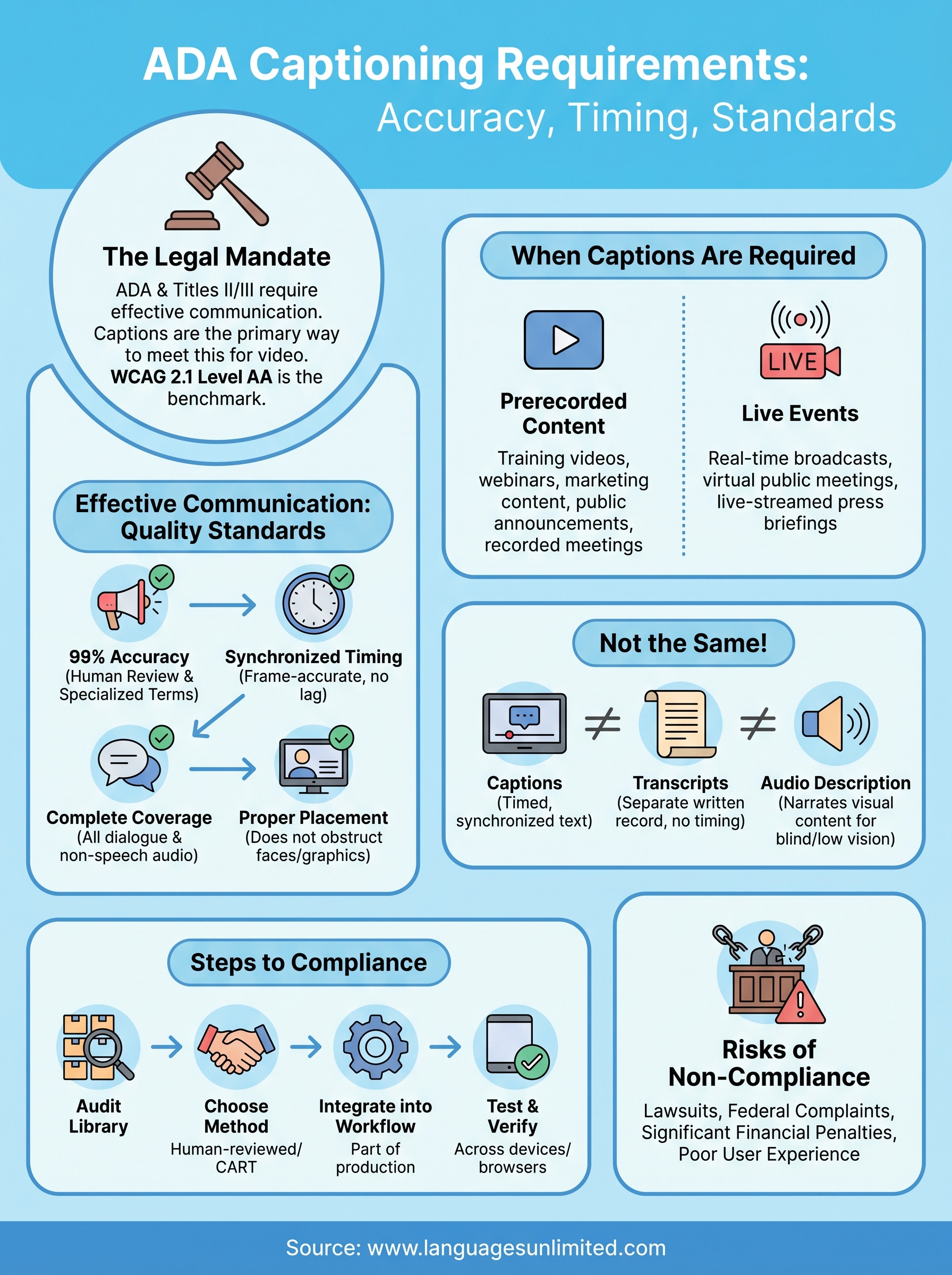
The ADA doesn’t contain a single section titled "captioning rules" that you can pull out and follow line by line. Instead, ADA captioning requirements emerge from the law’s broader mandate for "effective communication" with people who have disabilities, including those who are deaf or hard of hearing. When your organization produces video content that conveys information, you carry a legal obligation to make that information equally accessible, and captions are the standard mechanism the law and the courts have consistently pointed to.
The legal framework behind the mandate
The ADA divides its obligations across different titles depending on the type of organization you run. Title II covers state and local government entities, including public schools, courts, transit agencies, and municipal offices. Title III applies to businesses and private organizations that qualify as places of public accommodation, a category that courts have increasingly extended to websites and digital services. Both titles require you to provide effective communication, and both have been applied directly to video captioning in federal enforcement actions and civil litigation.
The Department of Justice reinforced this position in its 2024 final rule updating Title II regulations, which explicitly referenced WCAG 2.1 Level AA as the technical standard for web and digital content accessibility. Two success criteria from that standard are directly relevant to captioning: Success Criterion 1.2.2, which requires captions for all prerecorded synchronized media, and Success Criterion 1.2.4, which requires captions for live audio content. If your organization falls under Title II, those benchmarks now carry the weight of federal regulation, not just guidance.
The DOJ has consistently held that "effective communication" under the ADA means captions that actually work, not captions that merely exist on screen.
What "effective communication" requires in practice
The phrase "effective communication" is where the real substance of captioning compliance lives. Courts have ruled that captions meeting this standard must do more than appear on screen. They must accurately convey the spoken content, including dialogue, speaker identification when multiple people are talking, and meaningful non-speech audio such as laughter, alarms, or music cues that carry informational value. They must also be properly synchronized, meaning the text appears at the same time as the corresponding audio, not several seconds ahead or behind.
Your captions also need to be complete in their coverage. A caption track that drops full sentences, skips technical terms, or garbles proper nouns does not meet the effective communication standard even if the video technically has captions present. This distinction matters because auto-generated captions frequently fail on all three points, particularly with accented speech, specialized vocabulary, multiple simultaneous speakers, and domain-specific terminology common in legal, medical, and government content.
Beyond accuracy and synchrony, readability and formatting play a role in compliance as well. Captions that appear as a wall of text with no line breaks, use inconsistent fonts, or display in colors that disappear against video backgrounds can impair comprehension for the people the requirement is meant to serve. The effective communication standard looks at the end result: does a person who is deaf or hard of hearing receive the same information as someone listening to the audio? If the answer is no, the captions fall short regardless of what technology produced them.
When captions are required under the ADA
ADA captioning requirements don’t apply only to broadcast television or major media companies. If your organization publishes video content online, hosts live virtual events, or streams public meetings, the obligation to caption very likely extends to you. The triggering conditions depend on what type of organization you are, what kind of content you publish, and whether that content includes synchronized audio and visual information.

Prerecorded video content
Any prerecorded video that contains a synchronized audio track falls under the captioning mandate once it goes public. This includes training videos, webinars posted after the fact, marketing content, public service announcements, and recorded government meetings. The WCAG 2.1 Level AA standard, now embedded in the DOJ’s updated Title II rule, requires captions for all prerecorded synchronized media. Private entities covered under Title III face a parallel obligation when their digital content qualifies as a place of public accommodation.
Courts have ruled that removing captions from an archived video after a live event ends does not satisfy the effective communication standard, even if captions were present during the original broadcast.
Coverage gaps are a common source of liability. Organizations often caption their flagship content carefully but leave secondary videos, onboarding materials, or older recordings without captions. Every uncaptioned video with a spoken audio track is a potential compliance failure, not just the most recent or most visible ones.
Live events and real-time video
Live captioning obligations apply to real-time broadcasts, virtual public meetings, live-streamed press briefings, and any event where audio content is transmitted simultaneously to an audience. WCAG 2.1 Success Criterion 1.2.4 requires captions for live audio content within synchronized media, and the DOJ’s 2024 rule applies this standard to government entities directly.
For live content, auto-generated captions carry an even higher risk of failure because real-time accuracy depends on factors like speaker clarity, background noise, and technical vocabulary that machine transcription handles poorly. Many organizations delivering live events use professional CART services to meet this requirement, which pairs a trained human captioner with real-time display technology to maintain accuracy during the event itself. Live captioning done right keeps your audience informed and your organization on the right side of federal compliance expectations.
Caption quality standards that hold up
Knowing when captions are required is only half the compliance picture. The other half is ensuring those captions meet quality thresholds that satisfy the effective communication standard under ADA captioning requirements. Courts and federal agencies don’t treat accuracy as a sliding scale. They look at whether captions genuinely deliver the content to the viewer, and that means your captions need to hit specific, measurable benchmarks rather than simply appearing on screen.
The 99% accuracy standard
The broadcast industry and federal accessibility guidelines both point to 99% accuracy as the threshold for captions that qualify as accessible. The Federal Communications Commission, which regulates captioning for television and online video distributed by television broadcasters, uses this benchmark in its own enforcement rules. While the ADA doesn’t cite a precise percentage in its statute, courts and regulatory actions have consistently referenced the FCC standard as the relevant measure of caption quality when evaluating whether organizations met their obligations.
A 95% accuracy rate sounds reasonable until you do the math: in a 10-minute video with 1,500 spoken words, that error rate produces roughly 75 mistakes, enough to distort meaning, drop critical terms, or confuse a viewer entirely.
Reaching 99% accuracy requires human review of caption files, particularly for content involving specialized terminology, accented speakers, or multiple concurrent voices. Auto-generated captions from video platforms routinely fall below this threshold on standard content and perform significantly worse on domain-specific material in legal, medical, or government contexts where precision directly affects understanding.
Synchronization, placement, and formatting
Caption timing is as important as caption accuracy. Captions that appear more than two seconds behind or ahead of the corresponding audio break the connection between what viewers see and what they read, which reduces comprehension and fails the effective communication test. Professional captioning workflows treat [frame-accurate synchronization](https://www.languagesunlimited.com/tag/captioning-services/) as a standard deliverable, not an optional refinement added at the end of production.
Placement and formatting also affect compliance in practical terms. Your captions should not obstruct faces, graphics, or on-screen text that carry meaning in the video. Line length should stay manageable, typically no more than 32 characters per line, so viewers can read without losing the visual content. Speaker identification, written as a name or label in brackets, helps viewers follow dialogue when more than one person is speaking. Each of these elements contributes to a caption experience that holds up under both legal scrutiny and actual viewer use.
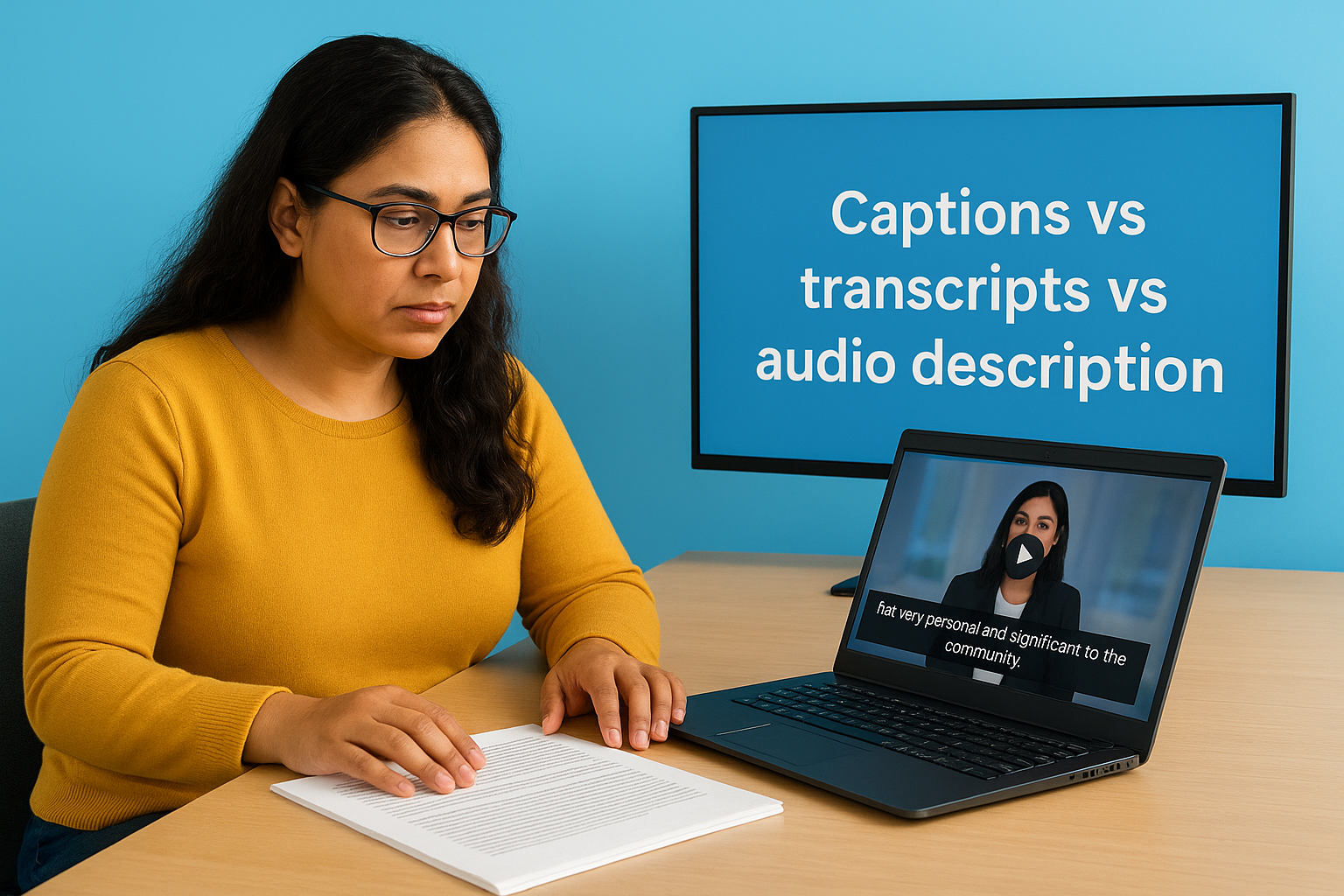
Captions vs transcripts vs audio description
Organizations often treat captions, transcripts, and audio descriptions as interchangeable accessibility options, but they serve different purposes and satisfy different legal obligations. Understanding the distinction matters because substituting one for another doesn’t automatically fulfill your compliance obligations under ADA captioning requirements. Each format addresses a specific access barrier, and using the wrong one for a given situation can leave your organization exposed even when you believe you’ve covered your bases.
What transcripts do and don’t cover
A transcript is a written record of spoken audio, typically delivered as a separate text document that a viewer reads alongside or instead of watching the video. Transcripts are valuable for searchability, reading comprehension, and situations where a viewer needs to reference content after the fact. However, a transcript alone does not satisfy the synchronized media captioning requirement under WCAG 2.1 Success Criterion 1.2.2 for prerecorded content.
The core issue is timing. A transcript gives someone the words but removes the connection between audio and the corresponding video moment. For content where timing, tone, and visual context matter, such as a training session, courtroom recording, or public health briefing, a standalone transcript falls short of effective communication. Courts have found that offering a transcript as a substitute for captions does not meet the ADA’s requirement when the content involves synchronized audio and visual information.
Providing a text document alongside an uncaptioned video is not the same as captioning the video, and regulators have made this distinction in enforcement actions.
Audio description and when it applies
Audio description addresses a different access barrier entirely. Where captions serve people who are deaf or hard of hearing by conveying audio as text, audio description serves people who are blind or have low vision by narrating visual content that isn’t captured in the dialogue. This includes on-screen actions, text, facial expressions, and scene changes that carry meaning the spoken audio doesn’t describe.
WCAG 2.1 Success Criterion 1.2.5 requires audio description for all prerecorded video content at Level AA, the same level now embedded in the DOJ’s updated Title II rule. If your video includes charts, demonstrations, or visual data that the narrator doesn’t explicitly describe, you likely need audio description in addition to captions. Both formats working together give your full audience access to the complete content of your video.
How to caption videos to meet ADA expectations
Meeting ADA captioning requirements in practice means building a workflow that treats captions as a required deliverable, not an optional add-on. Start by auditing your existing video library to identify which content has captions and which doesn’t. That inventory gives you a clear picture of your current compliance exposure and helps you prioritize remediation, beginning with publicly accessible content, employee training materials, and anything embedded in government or institutional channels.
Choose the right captioning method for your content
Human-generated captions are the most reliable route to hitting the 99% accuracy threshold that courts and federal agencies recognize as the benchmark for accessible content. For prerecorded videos, working with a professional captioning service lets you submit your audio or video file and receive a finished, time-coded caption file, typically in SRT or VTT format, that you upload directly to your video platform. This approach handles speaker identification, technical terminology, and frame-accurate synchronization without the accuracy gaps that auto-generated captions routinely produce on real-world content.
For live events and real-time broadcasts, CART services pair a trained human captioner with streaming software to deliver captions to your viewers as the event unfolds. If your organization hosts public meetings, webinars, or live-streamed announcements, CART is the method that consistently meets the effective communication standard for real-time content, where machine transcription accuracy drops significantly under pressure.
Build captioning into your production process
Captions added after the fact cost more time and create more opportunities for errors than captions built into your production workflow from the start. When you commission a new video, include captioning as a line item in the production brief rather than treating it as optional post-production work. Requiring a caption file as part of final delivery ensures that every new piece of content enters your library with accessibility already addressed rather than added under deadline pressure later.
Retrofitting captions onto a large existing video library is significantly more expensive and time-consuming than establishing a standard where every new video ships with a verified caption file attached.
After you upload captions, test them across devices and browsers to confirm they display correctly, stay synchronized, and don’t block critical on-screen content. Spot-check accuracy by reading the captions alongside the audio, particularly on segments with fast speech, multiple speakers, or domain-specific terminology where errors cluster most often.
Next steps to make your videos accessible
Meeting ada captioning requirements starts with deciding that captions are a compliance obligation, not an afterthought. Audit your video library, identify gaps in your current caption coverage, and set a firm internal policy that every new video ships with a verified, human-reviewed caption file before it goes live. Those two steps alone put your organization ahead of the majority of businesses and agencies that treat captioning reactively rather than proactively.
Professional support makes the process significantly more manageable, especially if you’re working through a backlog or managing live events that require real-time captioning. Experienced captioning providers bring the accuracy, synchronization, and formatting standards your content needs to satisfy both legal requirements and real viewer expectations. If you’re ready to close your compliance gaps and deliver genuinely accessible video content, contact the Languages Unlimited team to discuss captioning, CART, and subtitling solutions that fit your specific situation.