



If you’ve ever worked on software localization or translated technical content involving Microsoft products, you’ve likely encountered the challenge of keeping terminology consistent across languages. The Microsoft Terminology Collection is a free, searchable database of approved terms that Microsoft uses across its products and platforms. It covers thousands of terms in nearly 100 languages, making it one of the most valuable reference tools available to translators, developers, and localization teams.
At Languages Unlimited, we work with a network of over ten thousand language professionals who handle translation and localization projects across hundreds of languages. Resources like Microsoft’s terminology database play a direct role in maintaining accuracy and consistency, especially when our teams translate technical documentation, software interfaces, or IT-related content for clients in government, healthcare, and corporate sectors.
This article breaks down what the Microsoft Terminology Collection actually is, how to access and search it, and the practical ways translators and localization professionals use it in their work. Whether you’re a translator sourcing reliable reference material or an organization managing a multilingual software rollout, you’ll find what you need here.
What the Microsoft Terminology Collection is
The Microsoft Terminology Collection is an officially maintained, freely available reference database that Microsoft publishes for translators, localization engineers, and developers. It contains approved translations of thousands of technical terms used across Microsoft products, from Windows and Office to Azure and beyond. You can download the collection in multiple file formats or search it interactively through the Microsoft Language Portal, which serves as the primary access point for the resource.
The collection isn’t just a glossary; it’s the same terminology database Microsoft’s own localization teams use internally, which makes it a direct reference for matching Microsoft’s official product language across any language you’re working in.
Where it comes from
Microsoft developed this resource to solve a specific problem: when software gets translated into dozens of languages, product teams and external vendors need a shared reference point. Without one, the same UI element can appear as three different terms across a single application, which erodes user trust and creates support headaches. The Microsoft Language Portal hosts the collection and updates it regularly as new products and features roll out. You can access it at no cost, and no account or registration is required to download or search the files.
What languages it covers
The collection currently spans nearly 100 languages and regional variants, including Arabic, Chinese Simplified, Chinese Traditional, French, German, Japanese, Portuguese, Russian, and Spanish, among many others. For each language, you get the approved target-language equivalent alongside the source English term and often a definition or contextual usage note. This breadth makes it genuinely useful whether you’re coordinating a large-scale enterprise software rollout or handling a single technical document for a specific regional market.
What you will find inside the collection
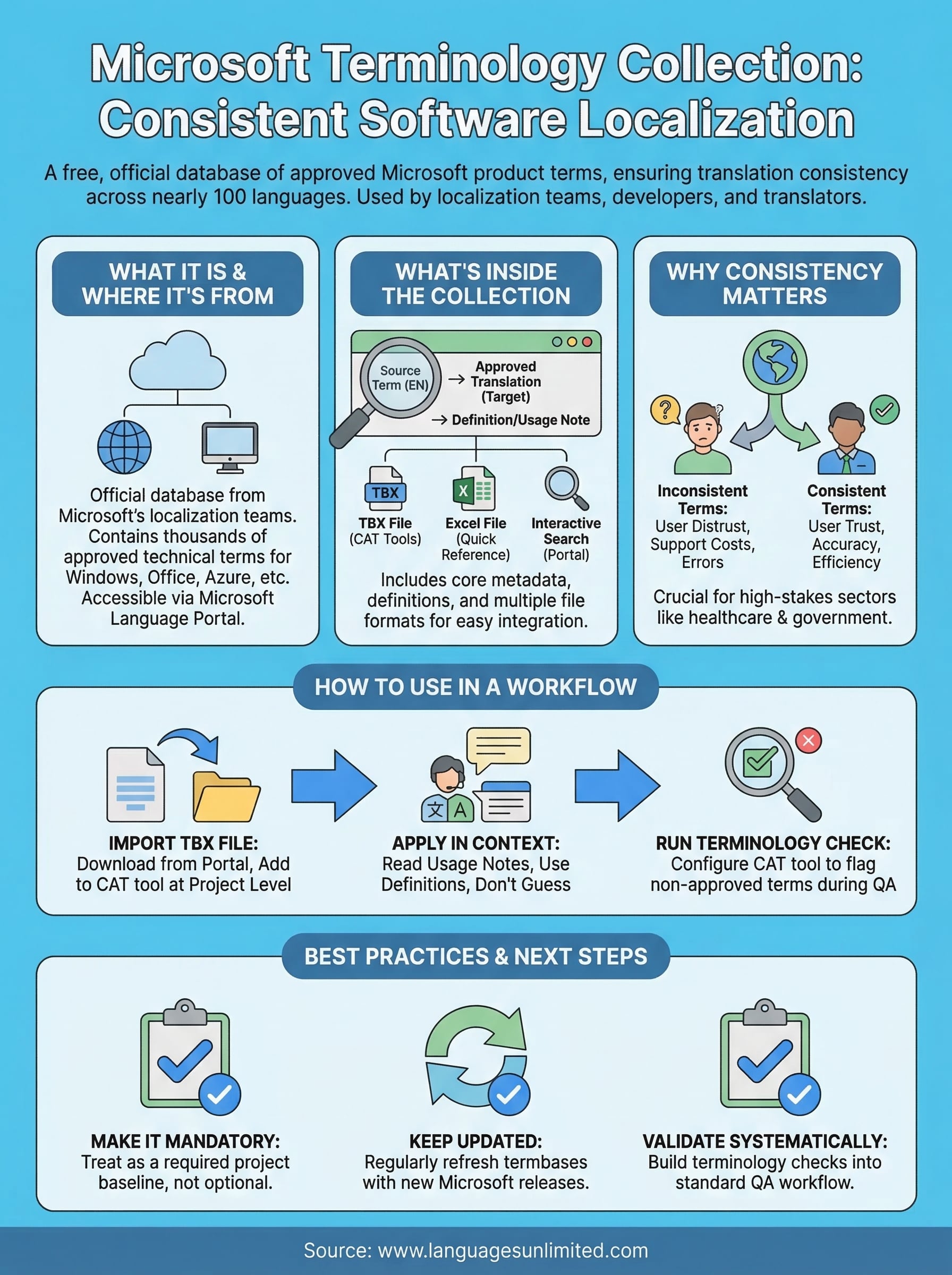
The microsoft terminology collection packages its data in a way that’s practical for daily use. Each entry includes an English source term, its approved target-language translation, and often a brief usage note that clarifies the context in which that term applies. This structure helps you apply terms correctly, not just copy a translation without understanding it.
Term entries and definitions
Every term in the collection comes with core metadata: the source term, the localized equivalent, and in many cases a brief definition. That definition is especially useful when a term has multiple possible translations. For example, “wizard” in a software context means a guided setup process, not the fantasy archetype, and the definition flags that for you.
Using the definitions alongside the translations helps you match Microsoft’s intended meaning, not just its words.
File formats and search options
You can access the data in two ways: downloading the full collection as a TBX or Excel file for use in CAT tools, or searching interactively through the Microsoft Language Portal. The downloadable files integrate directly into tools like SDL Trados or memoQ, letting you pull approved terms automatically during translation.
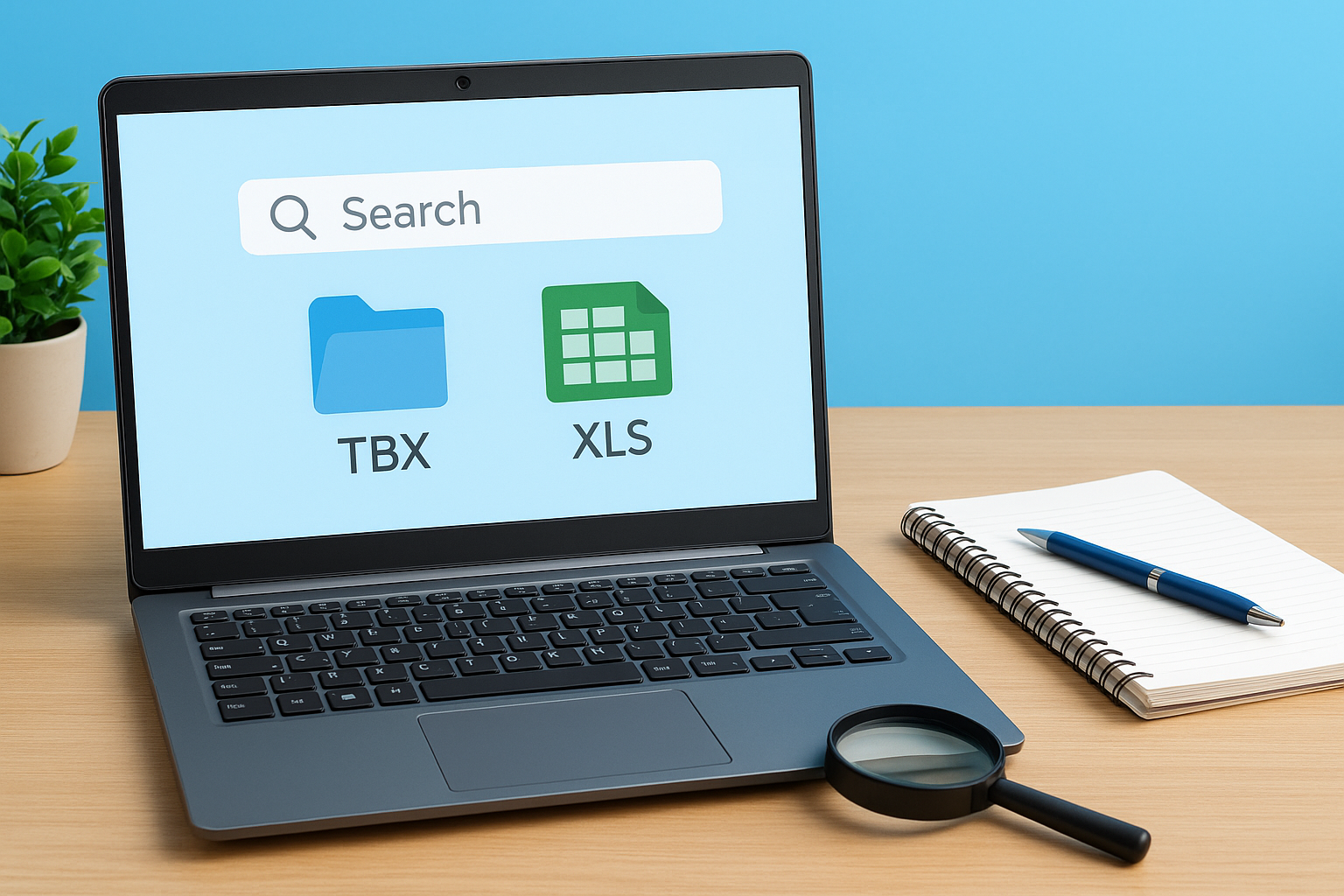
The TBX format is the most compatible option for professional translation environments, while the Excel format works better for quick reference or sharing with clients who don’t use dedicated CAT tools.
Why Microsoft terminology consistency matters
When you translate software or technical documentation, inconsistent terminology creates real problems for end users. If one screen calls a setting “preferences” and another calls it “options,” users lose trust in the product. The microsoft terminology collection solves this by giving every translator and localization team access to the same approved, product-tested terms.
Terminology inconsistency in software interfaces increases support costs and erodes user confidence, especially in regulated sectors like healthcare and government.
How inconsistency affects your project
Misaligned terms across a product force users to guess whether two labels refer to the same feature. In high-stakes environments, such as hospital platforms or government portals, that ambiguity has direct consequences, and a single mistranslated term can cause a user to skip a required step or misread a critical function.
Your translation team faces the same risk internally. When individual translators lack a shared reference, they make independent choices, and over time the same source term appears differently across documents, versions, and vendors. A centralized terminology resource eliminates that drift before it starts, cutting review time and keeping output consistent across every language you support.
How to use it in a localization workflow
Integrating the microsoft terminology collection into your workflow starts before translation begins. Download the TBX file for your target language from the Microsoft Language Portal, then import it directly into your CAT tool as a reference termbase. Most major tools accept TBX without any reformatting.

Import the termbase before you start
Set up the termbase at the project level, not the document level, so every translator working on the project pulls from the same approved source. This prevents individual translators from making independent term choices mid-project, which is the most common source of inconsistency in large multilingual rollouts.
Importing the termbase at the project level means every file in your project automatically flags approved Microsoft terms as you translate.
Validate terms during QA
Run a terminology check as part of your quality assurance step, not just at the end. Most CAT tools let you configure this check to flag any segment where the source contains a known Microsoft term but the target doesn’t match the approved translation. This catches missed or substituted terms before the file reaches your client, saving a round of revisions.
Common pitfalls and best practices
The most frequent mistake teams make with the microsoft terminology collection is treating it as optional reference material rather than a mandatory baseline for every project. If some translators use it and others don’t, you still end up with inconsistent output, which undermines the whole point of having a centralized resource in the first place.
Treating the terminology collection as optional defeats its entire purpose; make it a required step in your project setup, not a fallback.
Don’t rely on an outdated termbase
Downloading the TBX file once and reusing it indefinitely creates problems as Microsoft updates its terminology with new product releases. Check the Microsoft Language Portal regularly and refresh your termbase at the start of each new project or whenever a major Microsoft product update ships. This keeps your reference current and prevents outdated terms from slipping into delivered content.
Apply terms in context, not mechanically
The collection gives you approved translations, but it doesn’t make judgment calls for you. Some terms have multiple valid applications depending on the product area, and applying one blindly without reading the associated definition can introduce errors. Always read the usage notes, cross-reference terms with the actual UI where possible, and flag ambiguous cases for review rather than guessing. That extra step prevents costly corrections later.
Next steps for consistent terminology
The microsoft terminology collection gives you a solid foundation, but putting it to consistent use requires a deliberate process. Start by downloading the TBX file for every target language, importing it into your CAT tool at the project level, and scheduling regular updates so your termbase stays current with Microsoft’s latest releases. That three-step setup takes less than an hour and prevents the terminology drift that wastes time during review.
Build terminology validation into your standard QA workflow as a required step, not an optional one. If you manage a translation team, document the process so every translator follows the same steps regardless of project size. The more systematically you apply these resources, the less time you spend catching errors in review and the more confidence your clients have in the accuracy of the final output.
If you’re handling multilingual technical content at scale and need experienced language professionals to support your projects, contact Languages Unlimited to discuss your needs.