



If you’ve ever watched a live broadcast with text appearing at the bottom of the screen in real time, you’ve seen live captioning in action. But what is live captioning exactly, and why does it matter for your organization? At its core, live captioning converts spoken words into text as they’re being said, making events, meetings, and broadcasts accessible to deaf and hard-of-hearing audiences, as well as anyone who benefits from reading along.
For businesses, government agencies, and institutions that serve diverse populations, live captioning isn’t just a nice-to-have, it’s often a legal requirement under accessibility laws like Section 508 and the ADA. At Languages Unlimited, we’ve provided captioning and accessibility services since 1994, helping organizations meet compliance standards while ensuring no one gets left out of the conversation.
This guide breaks down how live captioning works, the different methods available, and when you should use it for maximum impact. Whether you’re planning a conference, producing digital content, or improving accessibility across your organization, you’ll walk away with a clear understanding of your options.
What live captioning is and how it differs
Live captioning captures spoken words and converts them into on-screen text in real time, typically with only a few seconds of delay. You see this text appear as someone speaks during a live event, webinar, news broadcast, or virtual meeting. The process requires trained professionals or advanced software to listen to audio input and immediately produce accurate, synchronized captions that viewers can read as the conversation unfolds.
The core definition
When you ask "what is live captioning," you’re really asking about a specialized service that makes spoken content accessible the moment it happens. A live captioner (also called a CART provider for Communication Access Realtime Translation) uses stenography equipment or speech recognition technology to transcribe speech at speeds of up to 225 words per minute. The text streams directly to a screen, video player, or display device where your audience can read it without any post-production editing.
Live captioning bridges the gap between spoken and written communication in situations where pre-recorded captions simply aren’t possible.
How it differs from other captioning methods
Live captioning stands apart from traditional closed captions created after an event. Post-production captioning gives editors time to perfect timing, fix errors, and format text carefully, while live captions prioritize speed and immediacy. You might see minor typos or formatting quirks in live captions because human stenographers and AI systems work under intense time pressure.
Another key difference involves offline captions, which you add to videos days or weeks later. Those captions support recorded content on platforms like YouTube or internal training libraries. Live captioning serves time-sensitive situations where your audience needs access right now, not later. You use live captions for shareholder meetings, courtroom proceedings, public hearings, and any scenario where waiting isn’t an option.
How live captioning works in real time
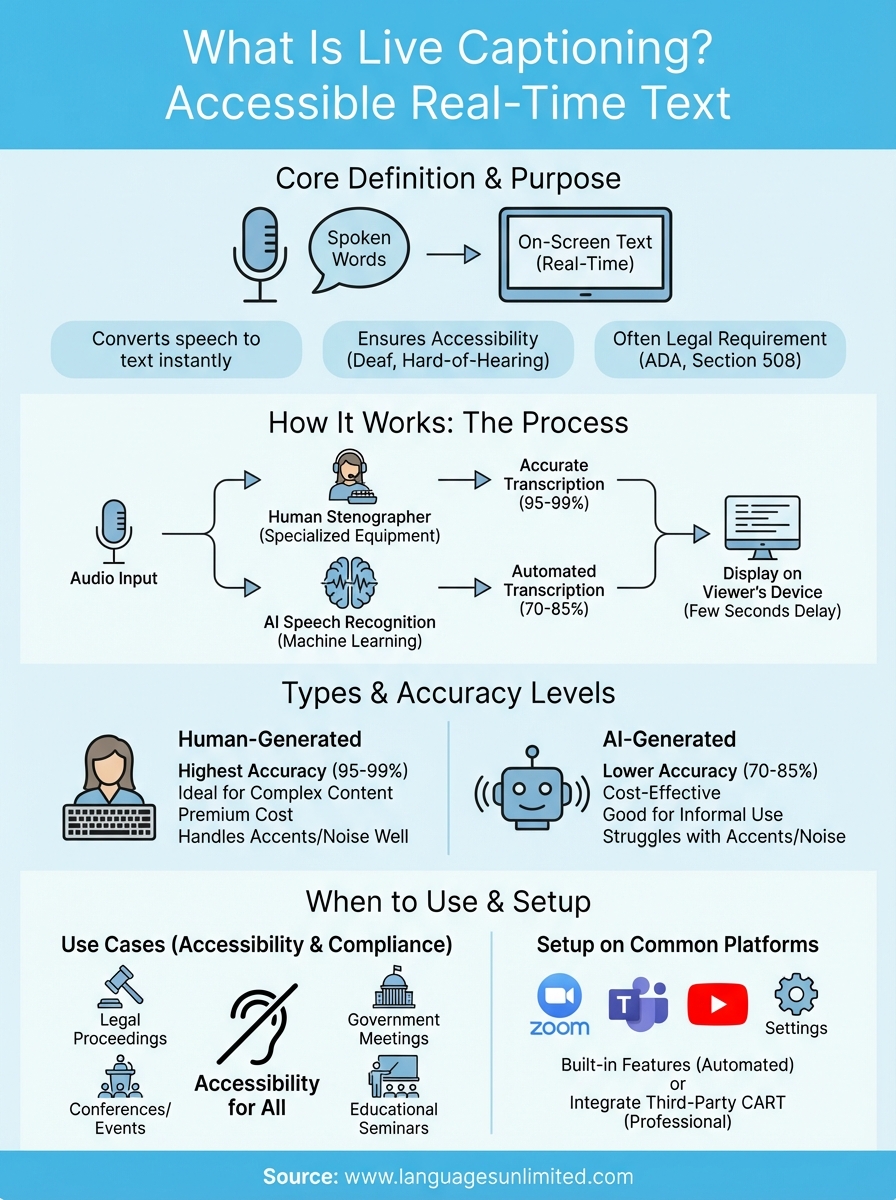
When you turn on live captions during a webinar or conference, a multi-step technical process runs behind the scenes to convert audio into readable text within seconds. The system captures audio input through microphones, processes that sound through either human transcription or speech recognition software, and then displays the resulting text on your screen almost instantly. This entire cycle completes in roughly two to five seconds, creating the impression that words appear as someone speaks them.
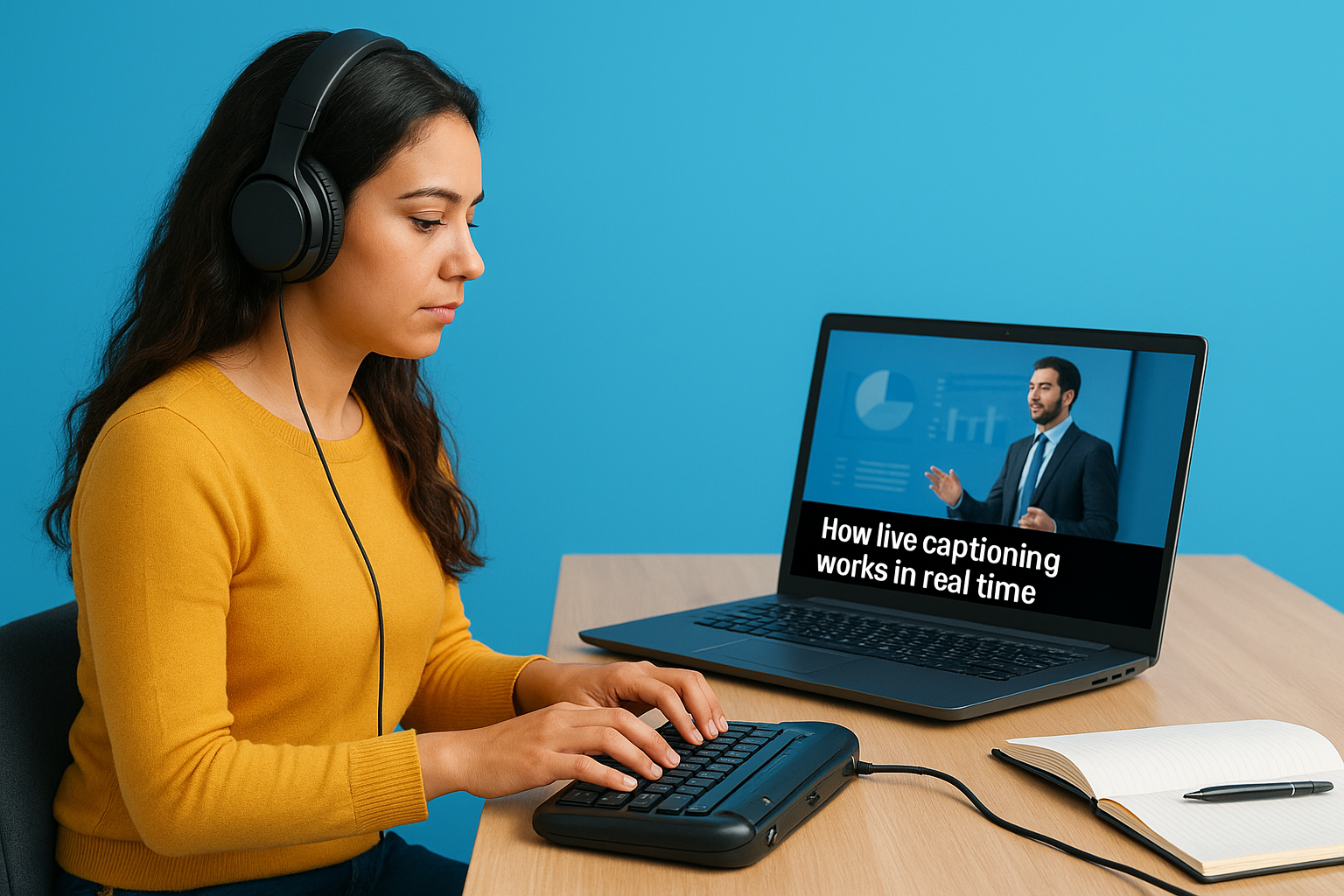
Human stenographers and their equipment
Professional stenographers use specialized keyboards with phonetic shorthand that lets them type full words and phrases with single keystrokes. This stenotype equipment connects directly to captioning software that translates those shorthand codes into standard English text. You get accuracy rates above 95% when experienced CART providers handle technical vocabulary or fast-paced dialogue, making this method reliable for legal proceedings, medical conferences, and government hearings where precision matters most.
AI-powered speech recognition systems
Speech recognition systems take a different approach by analyzing audio waveforms and matching patterns to known words and phrases in their databases. Modern AI captioning tools learn from context and can improve accuracy over time, though they still struggle with heavy accents, multiple speakers, or noisy environments where background sounds interfere with voice clarity.
Real-time captioning technology balances speed with accuracy, prioritizing immediate access over perfect transcription.
Types of live captions and accuracy levels
Understanding what is live captioning means recognizing that not all live caption systems deliver the same results. You’ll encounter two primary types based on how they generate text: human-generated captions through professional stenographers and AI-generated captions through speech recognition software. Each method carries distinct accuracy levels and cost implications that affect which option makes sense for your specific situation.
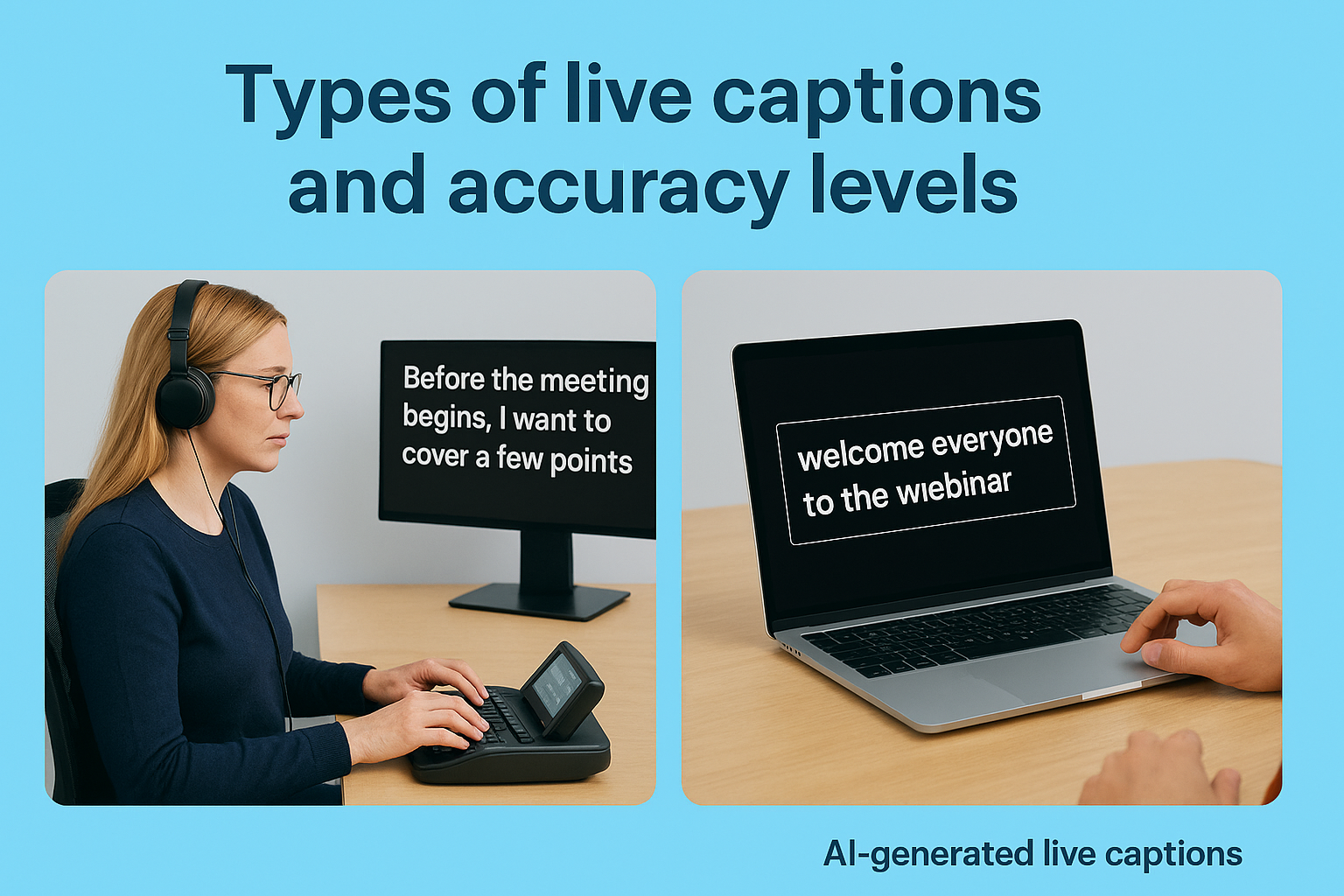
Human-generated live captions
Professional CART providers deliver the highest accuracy rates, typically between 95% and 99%, because trained stenographers actively listen and adjust for context, technical terms, and speaker corrections. You pay premium rates for this precision, usually between $150 and $300 per hour depending on subject matter complexity and preparation requirements. This investment makes sense when legal liability, regulatory compliance, or highly technical content demands near-perfect transcription that AI systems can’t reliably match yet.
AI-generated live captions
Automated speech recognition systems offer cost-effective solutions at significantly lower price points, often free or under $50 per event, though accuracy typically ranges from 70% to 85% depending on audio quality and speaker clarity. You’ll see higher error rates with multiple speakers, heavy accents, or specialized vocabulary that falls outside the system’s training data.
AI captioning works best for informal events where minor errors don’t create legal or accessibility concerns.
When to use live captioning for accessibility
You need live captioning whenever your event or content serves an audience that includes deaf, hard-of-hearing, or language-learning participants who benefit from reading along. Understanding what is live captioning means recognizing its role as more than a courtesy, it often represents a legal obligation under accessibility laws. Organizations must provide real-time text access when hosting public events, producing government communications, or streaming content that falls under Section 508 or ADA requirements.
Legal requirements and compliance scenarios
Federal agencies and their contractors face mandatory captioning rules under Section 508 of the Rehabilitation Act, which requires accessible electronic content for all programs receiving federal funding. You also trigger ADA compliance obligations when hosting public accommodations like conferences, town halls, shareholder meetings, or educational seminars where advance notice prevents you from arranging sign language interpretation alone.
Live captioning transforms accessibility from a checkbox exercise into genuine inclusion that benefits multiple audience segments.
Best practices for different event types
Corporate webinars and training sessions benefit from live captions because remote participants often join from noisy environments where reading text helps comprehension regardless of hearing ability. Court proceedings, medical consultations, and emergency broadcasts require live captioning to ensure critical information reaches everyone without delay that could compromise safety or legal rights.
How to set up live captions on common platforms
Setting up live captions varies by platform, but most services now include built-in accessibility features that require only a few clicks to activate. Whether you’re hosting a Zoom meeting, streaming on YouTube, or running a Microsoft Teams call, understanding what is live captioning means knowing how to enable the right settings before your event starts. The process typically involves accessing your platform’s accessibility menu and choosing between automated captions or third-party CART services.
Video conferencing platforms
Zoom lets you enable automated captions by clicking the "Live Transcript" button during any meeting, while Microsoft Teams offers similar functionality through its "Turn on live captions" option in the meeting controls. You’ll find these features work best when participants speak clearly and take turns, though accuracy drops when multiple people talk simultaneously. For professional events requiring higher quality, you can integrate third-party CART services through caption streaming URLs that both Zoom and Teams support in their advanced settings.
Streaming platforms
YouTube automatically generates live captions when you enable the "closed captions" feature in your stream settings before going live. Facebook Live requires you to activate "automatic captions" through your video settings panel, though these automated systems provide basic accuracy suitable for casual streams rather than formal presentations.
Platform-native captioning tools offer convenience but rarely match the precision that dedicated CART providers deliver.
Key takeaways and next steps
You now understand what is live captioning means in practical terms: real-time text generation that makes spoken content accessible to everyone during live events, broadcasts, and meetings. The method you choose depends on your accuracy requirements, budget, and compliance obligations, with human stenographers delivering 95-99% accuracy and AI systems offering cost-effective alternatives for less critical situations.
Start by evaluating your upcoming events through an accessibility lens. Identify which gatherings require live captions under Section 508 or ADA regulations, then decide whether automated platform tools meet your needs or whether you need professional CART services for higher stakes situations. Test your chosen solution during smaller internal meetings before rolling it out to public-facing events.
Languages Unlimited has provided accessibility services including live captioning since 1994, helping organizations across all 50 states meet compliance standards while creating genuinely inclusive experiences. Contact our team to discuss your specific captioning needs and get expert guidance on the right solution for your events.