



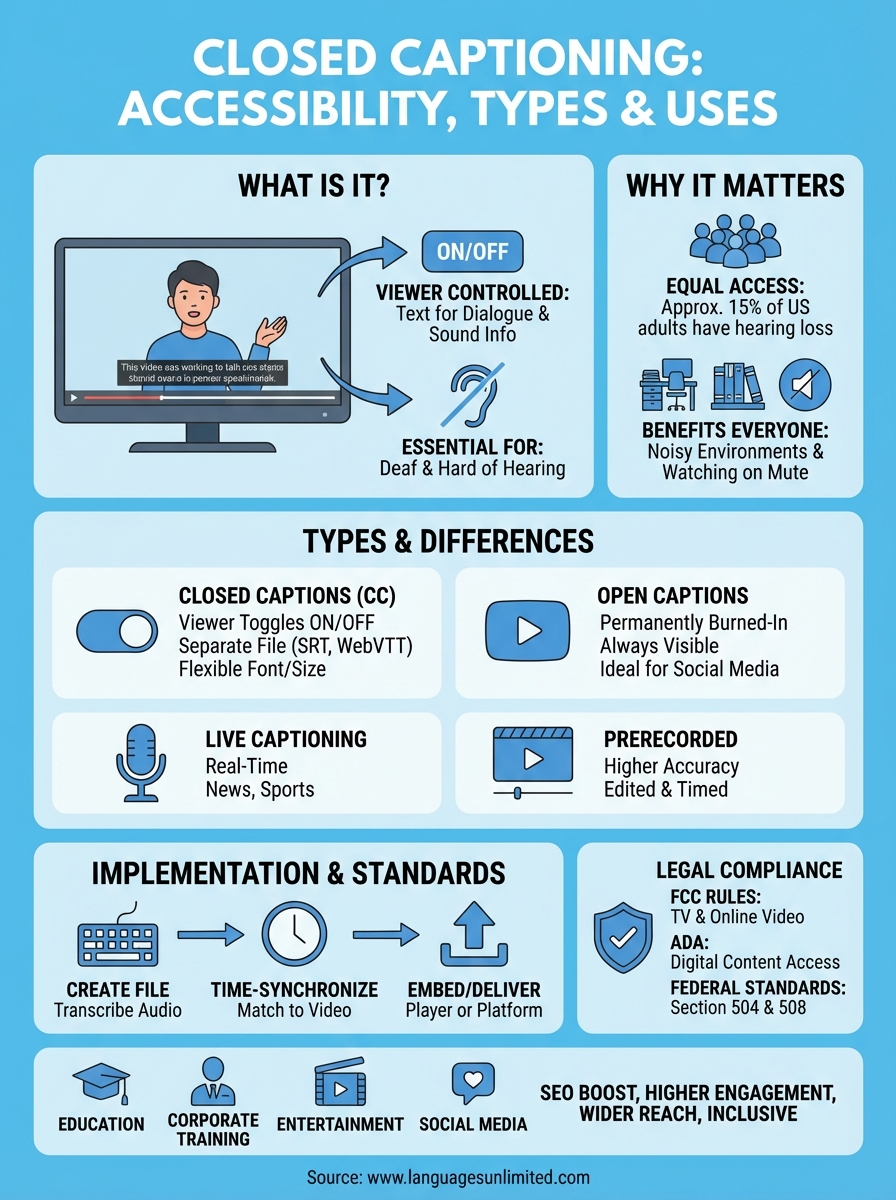
Closed captioning is text that displays the spoken dialogue and sound information from a video on your screen. You control when captions appear by turning them on or off through your video player settings. Unlike subtitles that only show dialogue, closed captions include all audio elements like background noises, music cues, and speaker identification. This makes them essential for viewers who are deaf or hard of hearing, but they also help anyone watching videos in noisy environments or without sound.
This guide breaks down everything you need to know about closed captioning. You’ll learn why captions matter for accessibility and legal compliance, how to implement them correctly, and what differentiates closed captions from subtitles and open captions. We’ll cover the main captioning types, explore common uses across different industries, and explain the federal standards that govern video content. Whether you’re a business owner ensuring compliance, a content creator expanding your reach, or someone curious about accessibility technology, you’ll find practical information that helps you understand and use closed captioning effectively.
Why closed captioning matters
Closed captioning creates equal access to video content for millions of viewers. The deaf and hard of hearing community relies on captions to understand spoken dialogue and sound effects that convey meaning. Without captions, you exclude approximately 15% of American adults who report some degree of hearing loss from engaging with your content. Captions also serve people learning a new language, viewers in sound-sensitive environments like offices or libraries, and anyone watching videos on mute in public spaces.
Accessibility and inclusion
When you ask "what is closed captioning" from an accessibility standpoint, the answer centers on removing barriers to information. Federal law requires captions on most television programming and many online videos through the Americans with Disabilities Act and FCC regulations. Beyond legal requirements, providing captions demonstrates your commitment to inclusion and expands your audience reach.
Business and practical benefits
Captions improve search engine optimization because search engines index caption text, making your videos more discoverable. Studies show that captioned videos receive higher engagement rates and longer watch times. You also support viewers who prefer reading along with audio to improve comprehension and retention of complex information.
Captioned content reaches wider audiences and performs better across all metrics.
How to implement closed captioning
You implement closed captioning by creating time-synchronized text files that match your video’s audio track and then embedding them in your video player. The process requires three main steps: transcribing the audio content, timing the captions to match speech patterns, and delivering the caption file alongside your video. Most platforms accept standard caption file formats like SRT, WebVTT, or SCC, which contain both the text and timing codes that tell the player when to display each caption.
Creating accurate caption files
Start by transcribing every spoken word and sound effect in your video. Professional transcription services provide the highest accuracy, especially for technical or specialized content, while automated tools offer faster but less precise results. Your captions must include speaker identification when multiple people talk, sound descriptions like "[music playing]" or "[door closes]", and proper punctuation that helps viewers understand the content flow.

Accuracy in captioning directly affects your audience’s comprehension and your legal compliance.
Choosing your delivery method
You deliver captions through sidecar files that play alongside your video or by embedding them directly into the video file. Sidecar files give viewers control to toggle captions on or off and allow you to update caption text without re-encoding the entire video. Upload these files to your video hosting platform (like YouTube or your website’s player), and the platform handles synchronization automatically. Different platforms require specific file formats, so check your platform’s technical requirements before creating your captions.
Types of captioning and how they differ
Understanding what is closed captioning means recognizing how it differs from other captioning methods. The main distinction lies in viewer control and how captions integrate with your video. You choose between closed captions that viewers toggle on or off, open captions burned permanently into your video, and different production methods for live versus recorded content. Each type serves specific purposes and meets different technical and accessibility requirements.
Closed captions versus open captions
Closed captions give viewers complete control to enable or disable text display through their player settings. You deliver these captions as separate files (SRT, WebVTT, or SCC formats) that your video player reads and displays in sync with the audio. This flexibility lets viewers customize font size, color, and background to match their preferences and needs.
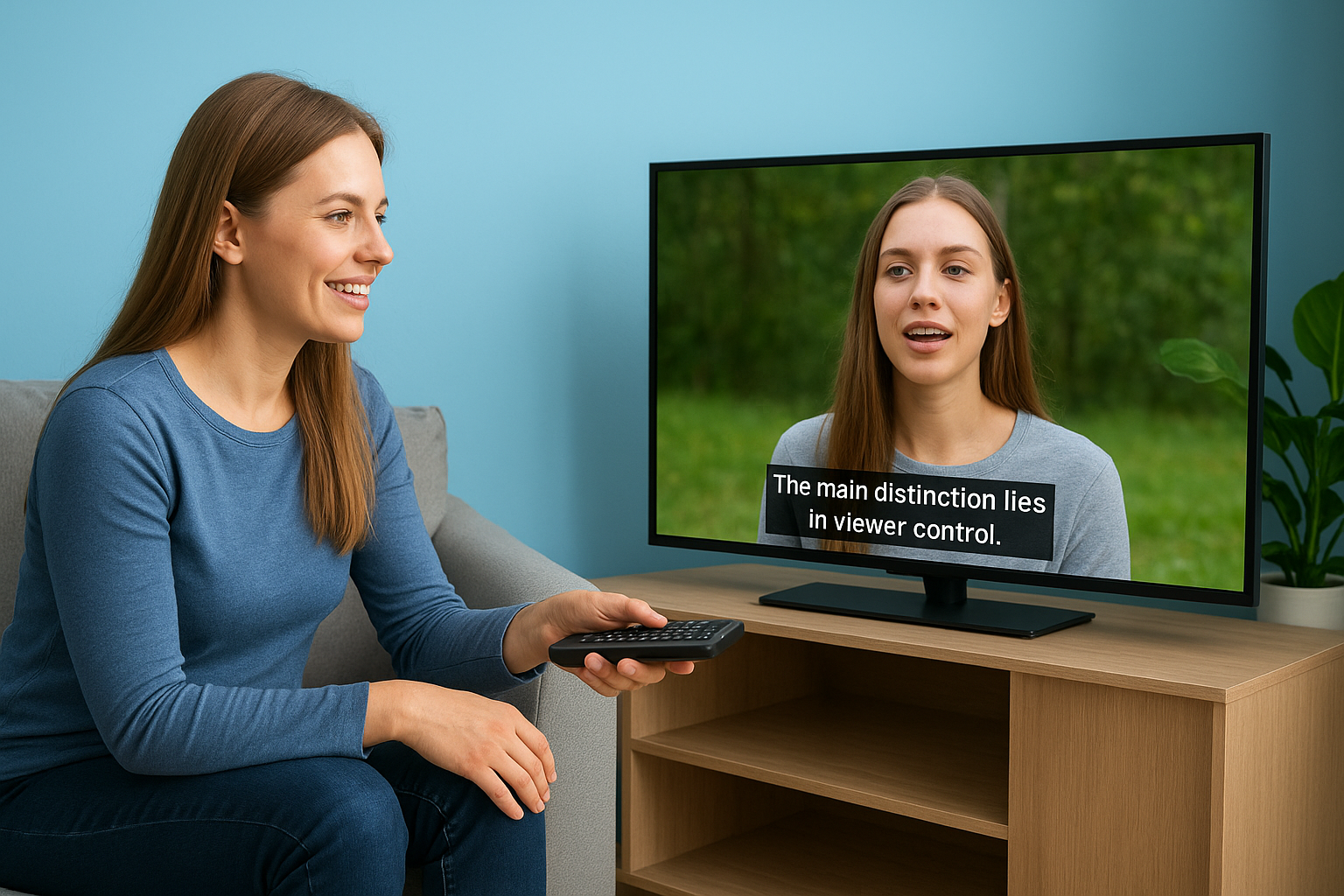
Open captions appear permanently embedded in your video file, meaning every viewer sees them regardless of their settings. You burn these captions directly into the video during editing, making them part of the visual content itself. Social media platforms favor this approach because captions remain visible even when users scroll through feeds with sound turned off.
Live versus prerecorded captioning
Prerecorded captions provide higher accuracy because you transcribe and edit them before publishing. Professional captioners review the content multiple times to correct errors and ensure proper timing. Your video receives captions that include precise sound descriptions and speaker identification.
Live captions appear in real-time during broadcasts, conferences, or streaming events. Speech recognition software or trained captioners create these captions as the event happens, which can result in occasional errors. Broadcasting regulations require live captions for most television programming, making them essential for news, sports, and public events.
Live and prerecorded captions each serve distinct needs in video accessibility and compliance.
Common uses across industries and media
Closed captioning serves diverse applications across every sector that produces video content. You find captions on everything from corporate training materials to social media posts because they make content accessible and improve engagement. Different industries apply captions in ways that match their specific communication needs and regulatory requirements, whether that’s live event coverage, educational content, or marketing videos.
Education and corporate training
Educational institutions use closed captions to support students with disabilities and enhance learning for all students. You see captions on lecture recordings, online courses, and instructional videos that help students review complex material at their own pace. Corporate training programs rely on captions to ensure every employee accesses safety procedures, compliance information, and skill development content regardless of their hearing ability or native language.
Entertainment and social media platforms
Broadcasting networks caption all television programming from news broadcasts to scripted shows, making entertainment accessible to millions of viewers. Streaming services like Netflix and YouTube built their platforms around captioned content, letting viewers choose when they need text support. Social media creators burn open captions into short-form videos because 85% of social media videos play without sound, and visible captions capture attention as users scroll through their feeds.

Captioning transforms video content into an accessible format that serves every viewer’s needs.
Standards and legal requirements in the US
Understanding what is closed captioning includes knowing the federal regulations that mandate its use across different media platforms. The United States enforces strict captioning requirements through multiple laws and agencies to protect the rights of viewers with disabilities. You must comply with these standards if you produce, distribute, or broadcast video content, especially television programming and online videos that originally aired on TV. These regulations create baseline accessibility standards that affect broadcasters, cable providers, streaming services, and businesses with public-facing video content.
The FCC’s captioning rules
The Federal Communications Commission requires closed captions on virtually all television programming broadcast in the United States. You need to caption all new English and Spanish language programming within specific timeframes based on your programming type. Live broadcasts must include real-time captions, while prerecorded content gets a longer production window. The FCC also mandates captions for Internet video programming if that content previously aired on TV with captions, extending these requirements to streaming platforms and online distributors.
Federal captioning rules apply to both traditional broadcasters and digital content platforms.
ADA compliance for digital content
The Americans with Disabilities Act requires businesses and organizations to make their services accessible to people with disabilities. Courts increasingly interpret this requirement to include website videos and online content, meaning you may face legal liability for uncaptioned videos even if the FCC rules don’t explicitly cover them. Educational institutions receiving federal funding must caption all video materials under Section 504 and Section 508 compliance standards, ensuring students with disabilities access the same educational resources as their peers.
Key takeaways on closed captioning
You now understand what is closed captioning: text-synchronized video content that viewers control through their player settings. Captions provide essential access for the deaf and hard of hearing community while benefiting anyone watching videos without sound. The difference between closed and open captions comes down to viewer control, with closed captions offering toggleable text and open captions burned permanently into videos.
Federal regulations require captions on most television and online video content, making compliance non-negotiable for broadcasters and content creators. You implement captions by creating accurate transcription files in standard formats like SRT or WebVTT, then delivering them through your video platform. Quality captions improve accessibility, expand your audience reach, and boost engagement across all content types.
Languages Unlimited provides professional transcription and captioning services that meet federal accessibility standards. Contact our team to ensure your video content reaches every viewer with accurate, compliant captions.